





How Cloud Gym Software Helps Studios Cut Costs, Protect Member Data, and Grow Faster
Thinking about moving your gym to the cloud? Learn how it works, what it costs, how safe it is, and how to choose the right system.
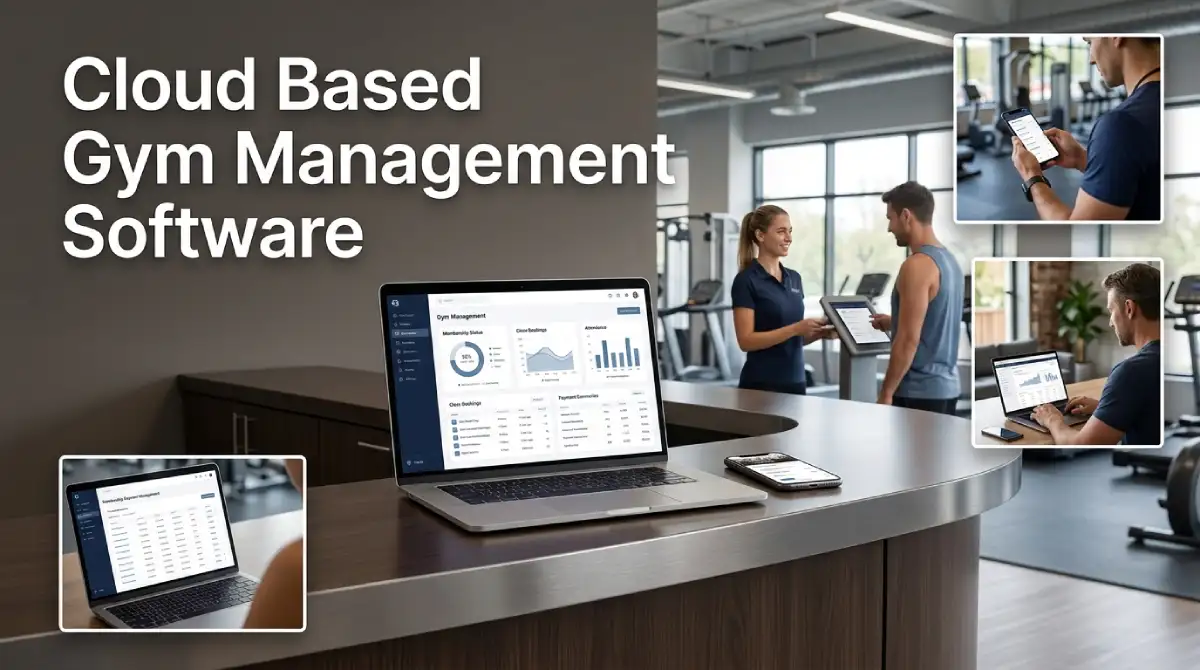
Cloud based gym management software has changed how gyms run their daily work. Your data now lives on secure remote servers instead of a dusty office computer. You can check payments from home, update classes from your phone, and add staff in minutes. If you run a gym or studio, this guide shows what to expect.
Table Of Content
- What Cloud Based Gym Management Software Really Means
- How the Cloud System Works Behind the Scenes
- Cloud-Based vs On-Premise Gym Software
- Key Benefits for Gym Owners
- Features That Matter Most in a Cloud System
- Security and Member Data Protection
- Costs and Hidden Fees to Watch
- Who Should Manage the Platform
- How to Choose and Switch Without Losing Data
- Common Mistakes to Avoid
- Frequently Asked Questions
- Choosing Your Cloud Setup With Confidence
This article supports our complete guide to fitness management software. That guide covers the whole market. Here we focus only on the cloud side of the choice. You will learn how it works, what it costs, and how to pick one.
What Cloud Based Gym Management Software Really Means
Cloud-based gym management software is a system you open in a browser or app. The vendor hosts the program and your data on remote servers. You pay a monthly or yearly fee instead of buying a big package once. Updates arrive on their own, so nobody installs patches by hand.
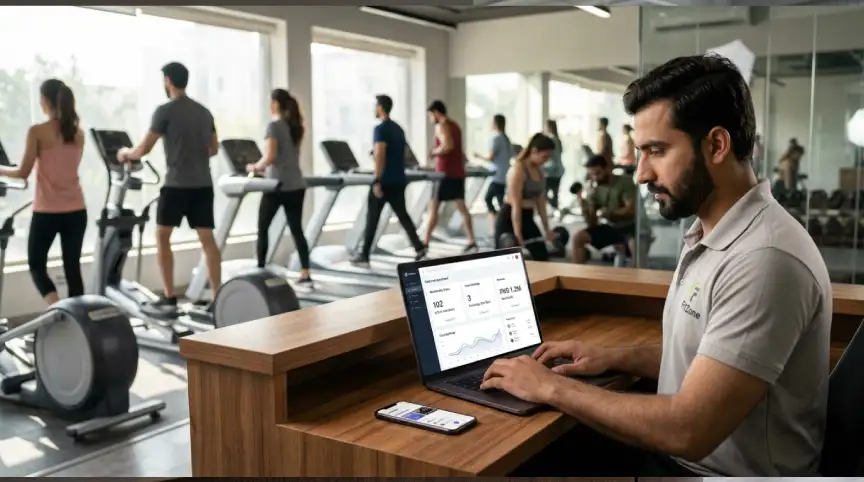
The idea matches the standard meaning of cloud computing. The US standards agency NIST describes it as on-demand network access to shared computing resources. Its definition of cloud computing lists three service models. Most gym platforms use Software as a Service, so the vendor runs everything for you.
You may see other names for the same tool. People say web-based gym software, online gym management system, or SaaS gym platform. The label changes, but the idea stays the same. Your gym tools live online, and your team can use them from any device.
For more on hosting, see our guide to cloud platforms, SaaS tools, and hosting services. It explains the differences in plain language. That helps you see where gym software fits in the bigger picture.
How the Cloud System Works Behind the Scenes
A member books a class in the app, and the request travels to the vendor’s servers. The server checks open spots, updates the schedule, and sends a confirmation. Your front desk sees the change right away. Nobody has to retype anything.
Vendors also copy your data to separate locations on a regular schedule. This backup protects you from hardware failure, theft, or a fire at your gym. Many vendors promise uptime as a percentage, such as 99.9 percent. That figure means the system may be down for only about 43 minutes in a month.
Uptime promises only help when the vendor backs them up. Ask for a written service level and a history of past outages. Our post on service level management explains why those promises matter. A public status page is also a good sign of an honest vendor.
Cloud-Based vs On-Premise Gym Software
Older gym systems ran on a server inside the building. Staff had to sit at the front desk to use them. Backups were manual, and a power cut could stop everything. Cloud tools fix many of these problems, yet each model has trade-offs.
| Area | Cloud based | On premise |
|---|---|---|
| Setup time | Often a few days | Weeks, with hardware and an installer |
| Upfront cost | Low | High |
| Updates | Automatic | Manual |
| Access | Any device with internet | Mostly inside the gym |
| Backups | Handled by the vendor | Handled by your team |
| Internet needed | Yes | Not for local tasks |
The biggest weakness of the cloud is its need for internet. A short outage can slow check-ins and class bookings. Good vendors reduce this risk with offline modes and fast recovery plans. Ask about this before you sign anything.
On premise software still suits a few gyms. Examples include sites with weak internet or strict local data rules. For most gyms, though, cloud tools cost less and need less technical care. They also grow more easily when your member count rises.
Key Benefits for Gym Owners
The first benefit of cloud-based gym management software is a lower startup cost. You skip servers, cabling, and an expensive install. A small studio can begin with a simple monthly plan. As your member count grows, you move to a bigger plan.
The second benefit is access from anywhere. Owners can view revenue, attendance, and failed payments from home or on the road. Trainers can see class lists on a phone. Front desk staff can work from any computer with a login.
The third benefit is steady upgrades. The vendor ships new tools without charging for a new version. You get bug fixes and new features as they appear. Your team spends less time on maintenance and more time with members.
Scaling is the fourth benefit. Adding a second location is mostly a settings task. Reports from every site land in one dashboard. This is why growing chains lean toward cloud tools.
Picture a yoga studio with 300 members. The owner tracks payments in a spreadsheet and takes bookings by text. After the move, members book in the app and pay with a saved card. Failed payments trigger automatic reminders, and the owner spends more time teaching.
Features That Matter Most in a Cloud System
Not every feature deserves your attention. Start with the ones that protect revenue and save staff time. The list below covers the basics every gym should test during a demo.
Membership and contract handling
A good system signs members up online. It stores contracts, waivers, and renewal dates in one profile. It also freezes or cancels plans without messy paperwork. Clean records make audits and disputes far easier to handle.
Billing and payments
Look for automatic recurring billing and smart retries for failed cards. Members should update their card details by themselves in the app. Clean billing records also make bookkeeping easier. Many owners pair gym tools with AI agents for automated bookkeeping to cut month end work.
Scheduling and booking
Online booking lets members reserve a spot in seconds. The system should manage waitlists, class limits, and late cancellations. Clear rules reduce no-shows and empty mats. Automatic reminders also keep your classes full.
Mobile app and member portal
Members expect to book, pay, and check in from their phones. A branded app keeps your gym in front of them every day. It also gives you a direct channel for news and offers. Ask whether the app works on both iPhone and Android.
Reports and integrations
Pick software that connects to accounting tools, door access, and email marketing. Ready-made integrations stop you from copying data by hand. Reports should be easy to read without a data analyst. A simple dashboard helps you spot trends before they hurt revenue.
Security and Member Data Protection
Your gym holds names, phone numbers, health notes, and payment details. That data is valuable to criminals. Moving to cloud-based gym management software does not remove your duty to protect it. It simply shares the work between you and the vendor.
Payment safety comes first. The PCI Security Standards Council publishes a Guide to Safe Payments written for small merchants. It explains why card data attracts thieves and how encryption lowers the risk. The council also offers questions that merchants can ask their technology vendors.
Ask every vendor a few direct questions. Where is the data stored, and how often is it backed up? Does the system support two-step login for staff? Can you set separate permissions for each role, and export all your data?
The cost of a mistake can be high. Our guide to data breach cost for small business shows how one incident drains a budget. Strong access rules and staff training cost far less than that damage.
Costs and Hidden Fees to Watch
Pricing for cloud-based gym management software looks simple at first. Most vendors charge a monthly fee based on members, locations, or features. Some add a processing fee on every payment. Others charge extra for the mobile app or text messages.
Watch for setup fees, data migration fees, and long contracts. Check what happens when you go over your member limit. Ask whether support is free or sold as a paid plan. Compare the total yearly cost, not only the headline monthly price.
Our main guide on fitness management software gives rough monthly price ranges and compares leading platforms. Use it as a starting point, then request written quotes. Two quotes from similar vendors will show you what is negotiable.
Who Should Manage the Platform
Cloud software still needs someone in charge. That person sets up user roles, checks reports, and talks to the vendor. In a tiny studio, the owner may do it. Larger gyms often name an operations manager.
Some gyms also need IT help for Wi Fi, door scanners, and payment terminals. You can hire a staff member or use an outside provider. See in-house IT vs. outsourced IT for small business for salary, support, and risk. The same logic applies to a gym with a few locations.
Whichever route you pick, write down who owns each task. Clear ownership prevents missed updates and forgotten logins. It also helps new managers learn the system fast.
How to Choose and Switch Without Losing Data
A careful switch protects your members and your cash flow. Follow these steps in order. Each one prevents a common problem later.
- List your must-have features and your current pain points.
- Shortlist three vendors and book live demos.
- Test real tasks, such as a failed payment and a class cancellation.
- Ask for a trial that uses a copy of your own member data.
- Plan the move for a quiet week, and warn members early.
- Train your staff before launch, and keep the old system read-only for a month.
Data migration deserves extra care. Clean your member list first. Remove duplicates, fix wrong emails, and confirm active plans. A tidy file makes the import smooth and avoids billing errors.
Common Mistakes to Avoid
Many owners pick a platform on price alone. A cheap plan can turn costly once extra fees pile up. Others skip staff training and then blame the software. A third mistake is ignoring the exit plan, because locked data traps you with one vendor.
Another mistake is paying for features you never use. A long feature list looks exciting during a demo. Yet daily tasks matter far more. Judge each tool by how well it handles billing, booking, and check-in.
Frequently Asked Questions
Is cloud-based gym management software safe?
It can be very safe when the vendor uses encryption, backups, and strong login controls. Your own habits matter too. Use unique passwords and limit staff permissions. Review who has access every few months.
Does it work without internet?
Most core tasks need a connection. Some vendors offer offline check-in that syncs once the network returns. Ask for a live test before you commit. A slow connection at your gym is worth fixing first.
How long does setup take?
A small studio can often go live within a few days. Larger sites may need a few weeks for data import and staff training. Good vendors assign a guide to help. Plan extra time if you have complex contracts.
Can I switch vendors later?
Yes, if you can export your member and payment data. Confirm the export options in writing before you sign. Ask which file formats the vendor supports. This step keeps your future choices open.
Choosing Your Cloud Setup With Confidence
Cloud based gym management software gives most gyms lower costs, better access, and faster growth. The trade-off is a need for internet and trust in your vendor. You can manage both with good questions and clear internal rules. Pick a system that fits your size today and leaves room for tomorrow.
Take your shortlist into each demo and test the daily tasks. Compare yearly costs, security answers, and export options side by side. Then choose the vendor that earns your confidence, not just your attention.



No Comment! Be the first one.