





Cloud Platforms, SaaS Tools, and Hosting Services: A Practical Guide to Choosing the Right Setup
Cloud choices can feel confusing. This guide breaks down service models, costs, security, and open source tools so you can build a lean setup that fits your goals.

Most teams do not wake up wanting a cloud project. They want faster apps, fewer outages, and predictable bills. Cloud technology solutions promise all three, but only when you pick the right pieces. This guide explains what they include, what they cost, and how to choose with confidence.
Table Of Content
- What Cloud Technology Solutions Include
- The Three Service Models: IaaS, PaaS, and SaaS
- Public, Private, Hybrid, and Multi-Cloud
- Building a SaaS Technology Stack That Stays Lean
- Where Open Source Cloud Technologies Fit
- How DevOps Habits Make the Cloud Work Better
- What Cloud Technology Solutions Really Cost
- Security and Compliance Basics
- A Simple Example: Growing an Online Candle Shop
- How to Choose the Right Cloud Technology Solutions
- When SaaS Technology Consulting Makes Sense
- Common Mistakes to Avoid
- Frequently Asked Questions
- Final Thoughts
What Cloud Technology Solutions Include
Cloud technology solutions are services that run on remote servers instead of your own hardware. You rent computing power, storage, databases, and software over the internet. A provider keeps the machines running, patched, and cooled. You pay for what you use and focus on your product.
The term covers a wide range of tools. At one end are raw servers from Amazon Web Services, Microsoft Azure, and Google Cloud. At the other end are finished tools like email, CRM, and project software. Between them sit managed databases, container platforms, and developer services.
Think of it like electricity. You do not build a power plant to charge a laptop. You plug in and pay the meter. Cloud computing works the same way for apps and data.
The Three Service Models: IaaS, PaaS, and SaaS
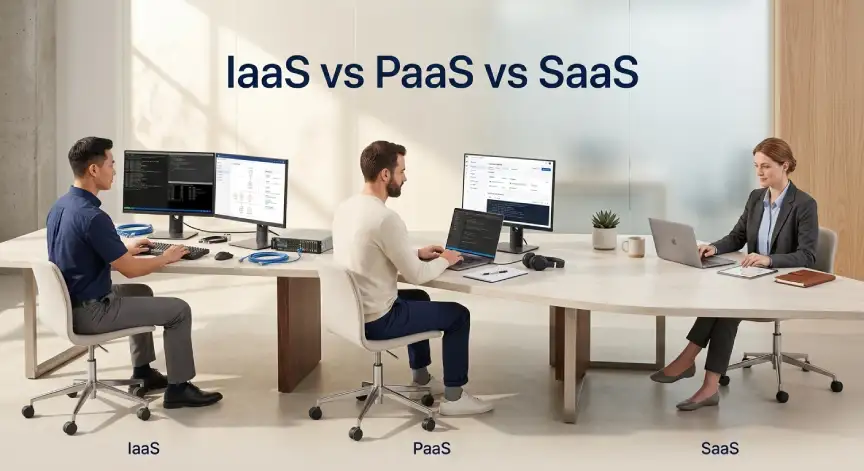
Every cloud service fits one of three models. The difference is how much you manage yourself. The more the provider handles, the less control you keep.
Infrastructure as a Service (IaaS)
IaaS gives you virtual machines, networks, and storage. You control the operating system and everything above it. This model offers the most freedom and needs the most skill. Teams with strong engineers often start here.
Platform as a Service (PaaS)
PaaS hides the servers from view. You upload your code, and the platform runs it. Google App Engine and Heroku are well-known examples. Developers ship faster because the platform handles patching and scaling.
Software as a Service (SaaS)
SaaS is the finished product in a web browser. Slack, Zoom, and Salesforce are common examples. You manage users and settings, not servers. Most small businesses use SaaS before they use anything else.
| Model | You manage | Provider manages | Best for |
|---|---|---|---|
| IaaS | Apps, data, operating system | Hardware and network | Engineering teams needing control |
| PaaS | Apps and data | Servers, runtime, scaling | Developers who want speed |
| SaaS | Users and settings | Everything else | Teams that want ready tools |
Public, Private, Hybrid, and Multi-Cloud
Public cloud runs on shared infrastructure owned by a provider. It is cheap to start and easy to scale. Private cloud runs on hardware reserved for one company. It suits strict data rules but costs more to run.
Hybrid cloud mixes the two. A bank might keep customer records in a private setup. It could run its public website in a public cloud. This gives control where it matters and speed everywhere else.
Multi-cloud means using more than one provider. Teams do it to avoid lock-in or to use a special service. Be careful, though, because every extra provider adds new tools, skills, and billing pages. Many small teams do better with one provider done well.
Building a SaaS Technology Stack That Stays Lean
A SaaS technology stack is the set of tools that builds and runs a software product. It can also mean the software a company buys for daily work. Both meanings share one rule. Keep the stack as small as you can.
A typical product stack has four layers. The front end shows pages to users, and the back end holds business logic. The data layer stores information. The infrastructure layer keeps everything online.
- Front end: React or Vue are common picks.
- Back end: Node.js, Python, or Go handle most needs.
- Data layer: PostgreSQL, MySQL, and Redis cover most cases.
- Infrastructure: AWS, Azure, or Google Cloud, often with Docker and Kubernetes.
Start with boring, proven tools. They have more guides, more skilled hires, and fewer surprises. Add a new tool only when a real problem demands it. Every extra tool is one more thing to pay for and secure.
A lean SaaS technology stack also makes onboarding easier. New developers learn fewer systems in their first week. Support staff know where to look when something breaks. Your costs stay easier to explain to the finance team.
Where Open Source Cloud Technologies Fit
Open source cloud technologies give you the code for free. You can read it, change it, and host it wherever you like. Kubernetes, Terraform, Docker, and PostgreSQL are popular examples. OpenStack even lets companies build their own private cloud.
Free code does not mean free to run. You still pay for servers, time, and skilled people. A managed version often costs less than a team spending nights on upgrades. Weigh the license savings against the labor you will spend.
The real benefit is freedom. Open source cloud technologies make it easier to move workloads to another provider. You also avoid being tied to one vendor’s pricing. For teams that value control, that is a strong reason to choose open tools.
How DevOps Habits Make the Cloud Work Better
Cloud tools shine when paired with automation. Infrastructure as code lets you describe servers in text files. Terraform then builds the same setup every time. This removes manual clicks and hidden differences between test and live systems.
Continuous integration and delivery, known as CI/CD, tests and ships code automatically. Small, frequent releases are safer than rare big ones. If a release fails, you roll back quickly and learn from it.
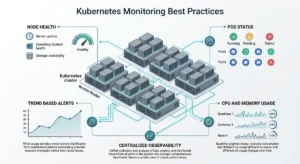
Monitoring matters just as much. Prometheus and Grafana are open-source tools that show problems early. Set alerts on signals users feel, such as slow pages and rising error rates. Do not alert on every tiny number, or your team will start ignoring alarms.
What Cloud Technology Solutions Really Cost
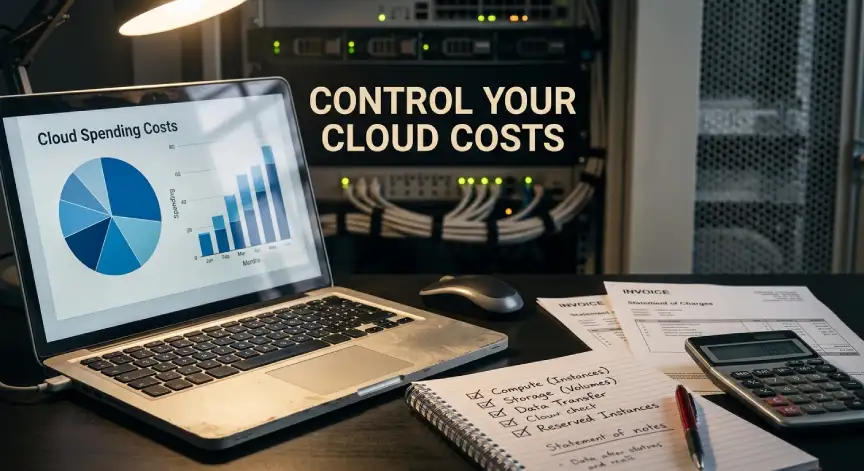
Cloud technology solutions pricing is simple in theory and confusing in practice. You usually pay for compute time, storage, and data moved out. Prices change by region and by service. A small test can look cheap while a big launch looks painful.
| Cost item | What drives it | How to control it |
|---|---|---|
| Compute | Hours used and machine size | Right-size and shut down idle machines |
| Storage | Amount and speed of disks | Move old data to cheaper archive tiers |
| Data transfer | Data leaving the provider | Keep traffic inside one region |
| Licenses | Seats or processor cores | Review unused seats every quarter |
| Support | Plan level | Pick the tier that matches your risk |
Three habits cut waste fast. Tag every resource with an owner. Set budget alerts on day one. Review the bill with your team every month.
Reserved plans and savings plans can lower compute costs for steady workloads. They usually ask for a one- or three-year commitment. Use them only for usage you are sure about.
Security and Compliance Basics
Cloud security is a shared job. The provider secures the data centers and core hardware. You secure your accounts, settings, and data. This split is called the shared responsibility model.
Most breaches come from simple mistakes. Open storage buckets, weak passwords, and forgotten admin keys are common causes. Turn on multi-factor login for every user. Give each person only the access their work needs.
Encrypt data in storage and while it travels. Keep backups in a second location. Test your restore process at least twice a year. A backup you cannot restore is only a hope.
Check the rules that apply to your industry. Health, finance, and privacy laws may limit where data can live. Ask providers for their compliance reports before you sign anything.
A Simple Example: Growing an Online Candle Shop
Picture a small shop that sells handmade candles. At first, it uses a hosted SaaS store builder, an email tool, and a payment service. Everything works, and the owner never touches a server.
Then traffic grows, and the owner wants custom features. A developer moves the store to a PaaS platform with a managed database. Holiday sales spike, and autoscaling adds capacity during the rush. When the rush ends, the extra capacity shuts down and the bill drops.
The shop never bought a single server. It simply moved up the ladder as its needs grew. That is the quiet power of the cloud.
How to Choose the Right Cloud Technology Solutions
A clear process beats a long feature list. Skipping steps is how teams end up with surprise bills. Follow these five steps in order.
- Write down your goals. Faster launches, lower costs, and better uptime need different answers.
- List your workloads. Decide which apps move first and which stay put.
- Compare providers on services, support, regions, and price. Ask for a written cost estimate.
- Run a pilot with one low-risk app. Measure speed, cost, and effort.
- Review the results with your team, then expand in small steps.
Involve finance and security early. They will spot problems that engineers often miss. Early talks save painful rework later.
When SaaS Technology Consulting Makes Sense
SaaS technology consulting helps teams plan, build, or fix their cloud setup. A good consultant reviews your stack, your costs, and your security. They hand you a clear plan instead of a pile of tools. This can save months of trial and error.
Hire help when you face a big move, such as a migration. It also makes sense when bills climb for no clear reason. Ask for a fixed scope, written goals, and a handover plan. Avoid anyone who pushes one brand for every problem.
Check references from companies like yours. Ask how the consultant will train your staff before leaving. The best SaaS technology consulting makes itself less needed over time.
Common Mistakes to Avoid
Moving everything at once is the top mistake. Copying old systems into the cloud without changes often raises costs. Start with the apps that gain the most. Redesign them to use cloud features.
Ignoring an exit plan is another trap. Know how you would export your data and move. Choose open formats where possible. Test the exit path once a year.
Skipping training also hurts. A powerful platform in untrained hands creates waste and risk. Budget time for courses and hands-on practice.
Frequently Asked Questions
What are cloud technology solutions in simple words?
They are online services that replace servers and software you would otherwise own. You rent them, use them over the internet, and pay for what you use. Examples include storage, databases, and ready-made business apps.
Which cloud model is best for a small business?
SaaS is usually the best first step. It needs no server skills and starts working within hours. As your needs grow, PaaS or IaaS can add more control.
Is open source cheaper than paid cloud tools?
Not always. The software is free, but running it takes time and skill. Managed versions of open tools often hit a good balance between cost and effort.
How long does a cloud migration take?
Small projects can finish in a few weeks. Large systems with many connected parts may take a year or more. A pilot project gives you a realistic timeline.
Final Thoughts
Cloud technology solutions work best when you match them to real goals. Start small, keep your stack lean, and watch costs from day one. Use automation to stay consistent, and treat security as a daily habit. With a clear plan, the cloud becomes a tool you control, not a bill you fear.



No Comment! Be the first one.