






Two years ago, an agent was a prompt glued to an API call. The shift is real: since then, agents clear support queues, assemble research briefs and chase paperwork. The framework underneath them decides whether they behave or embarrass you.
Table Of Content
- For Most Teams, the Answer Is CrewAI
- 1. CrewAI: The Fastest Route to a Working Crew
- 2. AutoGen: Brilliant, Influential, and Archived
- 3. LangGraph: For Workflows You Have to Answer For
- 4. Flowise: A Working Agent Before Lunch
- 5. Voiceflow: Built for the Conversation Itself
- Also Worth Knowing in 2026
- How the Five Compare
- Match the Tool to the Job
- Real Use Cases in 2026
- How to Choose Without Regretting It Later
- Five Questions Before You Commit
- My Call
Agents are what happens when Generative AI stops answering questions and starts doing work. Plenty of lists of the best tools to build AI agents stop at feature grids.
This one applies four tests that matter after the demo ends: how fast a small team reaches a working agent, how much control you keep when the workflow branches, what it costs after the free tier, and whether the project is still alive.
That last test removes one famous name from contention, and it shapes everything below: tooling is what turns a demo into powerful AI agents that survive real users.
For Most Teams, the Answer Is CrewAI
Start with CrewAI for a small team’s first multi-agent system. Move to LangGraph when the workflow branches, pauses, resumes and leaves an audit trail. Pick Flowise when nobody wants to write code, and Voiceflow when the agent’s whole job is talking to customers.
Treat AutoGen as legacy: it runs, but Microsoft has archived it, and new projects deserve a maintained home.
1. CrewAI: The Fastest Route to a Working Crew
CrewAI thinks in job descriptions. You define each agent with a role, a goal and a backstory, give it tools, and group agents into a crew that works through tasks in sequence or under a manager agent.
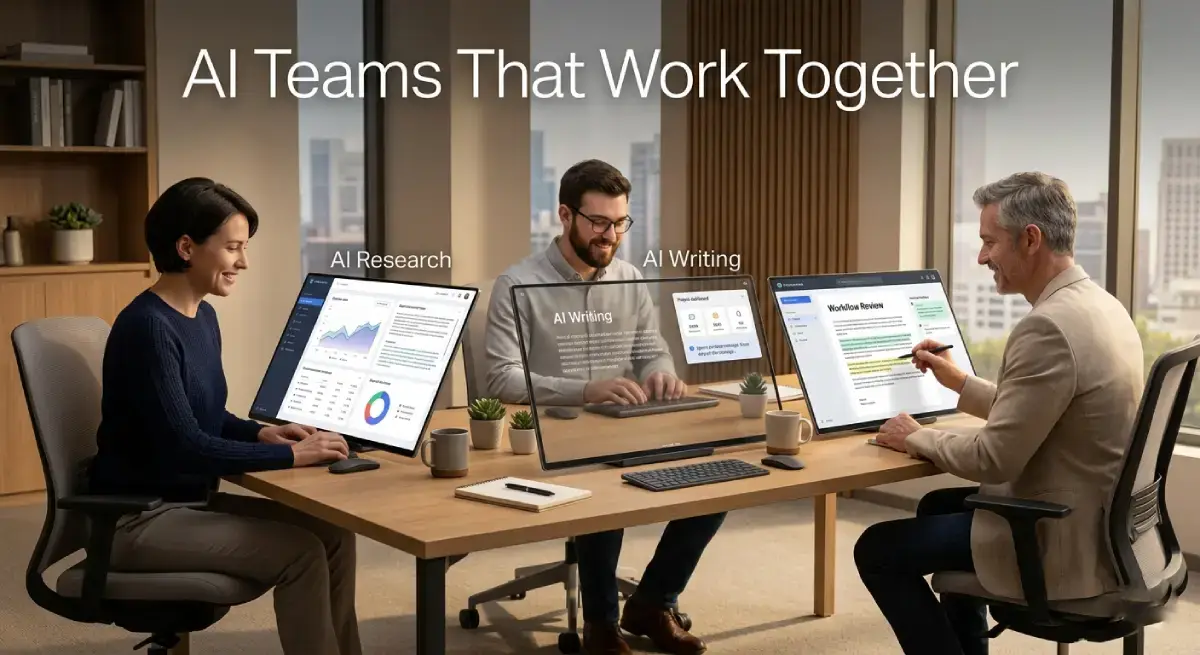
Flows add event-driven structure around the crews when a project outgrows a simple chain. The code reads like a team brief, which is why prototypes come together quickly.
It shines on work that looks like teamwork. Content pipelines, research summaries, report drafting and lead qualification all map naturally onto a crew, and a Python developer can have something real running within days. Our hands-on guide to CrewAI Multi-Agent Systems walks through a first build.
A typical first build shows why it clicks. One agent gathers sources, a second cross-checks the claims, and a third turns the result into a brief. Each step is a job description rather than a code path, so even a non-specialist can follow the system.
The honest limitation is control. When a workflow branches heavily, graph frameworks give you a tighter grip on retries, approvals and parallel paths. A CrewAI crew that wanders is harder to debug, because the control flow lives in delegation decisions, not in an inspectable state diagram.
Cost: the framework is free and open source under the MIT licence, and model tokens are billed by your provider. CrewAI’s hosted platform, AMP, opens with a free Basic plan capped at 50 workflow executions a month. Beyond that wall sits a custom-priced Enterprise plan with no published mid-tier price.
2. AutoGen: Brilliant, Influential, and Archived
AutoGen deserves respect before it gets a warning label. Microsoft’s framework made multi-agent conversation the default mental model for this field: agents talk to each other in group chats, critique drafts, write code and run it, and pull a human in when a decision matters.

For coding teams especially, watching agents debate a bug before fixing it still feels like the future.
That model genuinely shines on conversational problem solving. It suits research where several viewpoints improve the answer, and code loops where an executor tests what a writer produces. Our guide to Microsoft’s AutoGen was written when it was still the default recommendation.
Its code execution loop was the headline act. One agent writes Python. Another runs it in a sandbox, reads the error and argues for a fix, all inside the conversation. Teams built real tools on that loop, and some still run them.
Now the status, because it changes the buying decision. Microsoft has archived the AutoGen repository. It receives no bug fixes, no security fixes and no support, and Microsoft directs users to its maintained successor, Microsoft Agent Framework.
The limitation is the archive itself: the gap between AutoGen and current model APIs grows monthly, and your team owns it. Existing systems keep running, and the community fork AG2 carries the model forward, but a new production build should not start here.
Cost: AutoGen is open source and free to self-host. The real price is the maintenance burden you take on the day you adopt it.
3. LangGraph: For Workflows You Have to Answer For
LangGraph is the tool you pick when “the agent decided to” is not an acceptable incident report. You model the work as a graph: nodes that do things, edges that decide what happens next, and explicit state that every step can read and update.

Checkpointing lets a run pause, wait for a human, and resume hours later without losing its place.
That structure shines anywhere the process matters as much as the output. Approval chains, compliance-sensitive document work, long-running research and support escalation all benefit from a workflow you can draw, test and replay. When something fails, you can point at the exact step that failed, with the state it saw.
Checkpointing also gives you time travel. Rewind a failed run to the step before it went wrong, change the input, and replay from there. For teams answerable to auditors, that replay closes the argument.
The limitation is the learning curve, the steepest of these five. You design the graph before you get any value, and simple jobs can feel over-engineered in it. Full visibility into runs also pushes you toward LangSmith, the companion platform, once you outgrow local debugging.
Cost: LangGraph itself is free and open source. LangSmith is where money appears: its Developer plan is free for one seat with 5,000 base traces a month, and Plus costs $39 per seat per month with 10,000 base traces and one free small serverless deployment included. Usage past the included traces is pay as you go.
4. Flowise: A Working Agent Before Lunch
Flowise is a canvas. You drag nodes onto it (models, prompts, tools, memory, retrievers), wire them together, and get a running agent or chatbot without opening an editor. It builds on LangChain concepts, so the mental model transfers if your team later moves to code, but nobody has to write that code on day one.
Under the canvas, it is LangChain in visual form. Document loaders feed vector stores, retrievers ground answers in your files, and agent flows call tools and APIs in sequence. Every finished flow gets an API endpoint, so an internal app can call it without opening the canvas.
It shines at validation speed. Internal tools, support prototypes and department experiments can go from idea to something colleagues can poke at in an afternoon. For a small team deciding whether an agent idea deserves real engineering time, that afternoon is worth more than a roadmap document.
The limitation is operations. You host and scale Flowise yourself, and as flows grow, debugging a tangle of canvas nodes gets painful; version control and testing are weaker than in a code-first stack. Treat successful prototypes as candidates for a rebuild, not as finished infrastructure.
For a validation sprint, none of that matters much. The question Flowise answers is whether the agent deserves to exist at all, and it answers that question cheaply.
Cost: Flowise is open source and free to self-host. Your real costs are a modest server and the model API keys your flows consume.
5. Voiceflow: Built for the Conversation Itself
Voiceflow starts from the customer’s side of the screen. It is a platform for designing chat and voice agents, with a visual canvas for dialogue, a knowledge base grounded in your documents, integrations with help desks and CRMs, and a clean handoff to human agents when the conversation goes off script.
The design tools are the point. You prototype the dialogue, test it against sample questions, connect the knowledge base, and watch users break it, all before an engineer gets involved. Channels cover web chat and voice telephony, so one design can serve both, and the analytics show which questions fail most.
It shines in support and customer experience work, where conversation quality is the product. Designers and support leads can own the agent’s behaviour without filing engineering tickets for every wording change.
Among these five, it is the only one built specifically for talking to your customers rather than for orchestrating background work.
The limitation is the commercial model. The free plan is a trial in practice, and real volume, along with advanced features, sits behind paid tiers. Worse for budgeting, Voiceflow’s public pricing page publishes no plan figures, so you cannot cost it from the website alone.
Cost: agencies start on a free trial with usage-based billing, and businesses are sold through a demo and a quote. Get the numbers in writing before you commit a support queue to it, because moving a live support agent later is a project of its own.
Also Worth Knowing in 2026
Four more names belong on any 2026 shortlist. Microsoft Agent Framework is Microsoft’s maintained successor to AutoGen and the natural home for teams with AutoGen experience. AG2 keeps the conversational AutoGen model alive as a community project.
The OpenAI Agents SDK suits teams already committed to OpenAI models, and Google’s Agent Development Kit does the same for Gemini based stacks. None of these displaces the five tools above for most readers, but each is the right answer inside its own ecosystem.
How the Five Compare
| Tool | Type | Coding needed | Production ready | Pricing starts |
|---|---|---|---|---|
| CrewAI | Multi-agent framework | Python | Yes | Free, open source |
| AutoGen | Multi-agent framework | Python | No (archived) | Free, open source |
| LangGraph | Workflow graph framework | Python or JavaScript | Yes | Free; LangSmith Plus $39/seat |
| Flowise | Visual agent builder | None to low | Yes, self-hosted | Free, open source |
| Voiceflow | Conversational platform | None | Yes | Trial; paid plans by quote |
Match the Tool to the Job
| Your goal | Recommended tool |
|---|---|
| First multi-agent prototype | CrewAI |
| Multi-agent coding workflows | LangGraph or Microsoft Agent Framework |
| Production workflow with audit trail | LangGraph |
| Prototype without writing code | Flowise |
| Customer support chat or voice agent | Voiceflow |
| Existing AutoGen codebase | AutoGen (legacy) or AG2 |

Real Use Cases in 2026
Start with the pattern, not the pitch. Bookkeeping firms already use agents and support automation to sort invoices and chase documents. A narrow job with a measurable outcome is what works everywhere else.
- Trilogy, which runs customer support for more than 90 software products, uses Voiceflow to resolve 70% of its support tickets with AI, according to Voiceflow’s published case study.
- Small teams use Flowise to build a lead generation agent visually, with no code required.
- Content teams run CrewAI crews that gather sources and hand an editor a structured brief instead of a blank page.
- Operations teams use LangGraph for internal workflows like ticket triage, where every step must be logged and reversible.
How to Choose Without Regretting It Later
The deeper shift behind all five tools is Agentic AI: software that works through steps toward a goal instead of answering a single prompt. Choose by your team’s real constraints.
Ask three questions. Who will maintain this in six months? Developers point to CrewAI or LangGraph; a support lead or operations manager points to Flowise or Voiceflow. What happens when the agent is wrong? If a wrong answer costs money or trust, you need LangGraph’s checkpoints or Voiceflow’s human handoff.
Buying for a small business? Put data access and permissions on the checklist before any demo seduces you.
Five Questions Before You Commit
How much does it cost to build an AI agent in 2026?
The frameworks are mostly free. Real costs are model tokens, hosting and the platform layer: LangSmith Plus is $39 per seat per month, CrewAI’s platform moves from free Basic to custom Enterprise pricing, and Voiceflow quotes per customer. Budget for tokens first; they outgrow seat fees fast.
Is AutoGen still worth using in 2026?
For learning, yes: its conversational model is the clearest way to understand multi-agent systems, and existing deployments keep working. For new production work, no. Microsoft has archived it, so choose Microsoft Agent Framework or AG2 for that style with a maintainer behind it.
Can I build an AI agent without coding?
Yes, within limits. Flowise builds working agents on a canvas, and Voiceflow does the same for chat and voice. You give up fine control and easy testing, so treat no-code as a strong start, mostly a prototype stage.
CrewAI or LangGraph: which should a small team start with?
CrewAI, unless control is the whole point. Crews get a team to a working system faster, and momentum matters. Start with LangGraph when the workflow must branch, pause for approvals and produce an audit trail.
Which tool is best for a customer support agent?
Voiceflow. It is the only tool designed around the conversation itself, with knowledge grounding and human handoff built in. Trilogy’s published result, 70% of tickets resolved by AI, shows what that focus delivers.
My Call
Starting a team’s first agent project tomorrow, I would open CrewAI, and I would expect any serious production workflow to end up on LangGraph. Flowise is the fastest first afternoon. Voiceflow owns the support conversation outright.
AutoGen is the sad line here. Read it, learn from it, and let its successor carry your roadmap. Pick the tool whose failure mode you can live with. That, more than any feature list, is the ranking.





No Comment! Be the first one.