


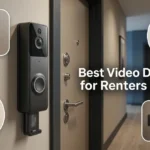


Best Smart Home Security Cameras for Renters in 2026: No Drilling, No Contracts
A practical guide to the best smart home security cameras for renters in 2026. Compare setup, storage costs, and features that work without damaging walls.

Wyze Cam v4, Ring Stick Up Cam, and Eufy Solo Indoor Cam lead the field for renters in 2026, each avoiding permanent installation while still offering solid security features. Wyze stands out for its low price and strong free tier, while Ring integrates tightly with a wider smart home ecosystem. Eufy appeals to renters wanting local storage without a monthly subscription.
Table Of Content
Renting comes with real limits on what you can install, since drilling holes or running wires often violates lease terms. This guide compares the best smart home security cameras for renters, all using battery-powered or adhesive mount setups. You will also find guidance on storage costs, since subscription fees often matter more than the camera price itself.
Why Renters Need Different Security Camera Options
Homeowners can drill, wire, and hardwire cameras without a second thought. Renters face a different reality, since most leases restrict permanent modifications to walls, doors, or exterior structures. A camera built for renters needs to install and uninstall cleanly without leaving damage.
This limitation actually pushed camera makers toward better battery and adhesive mount designs over the past few years. What started as a compromise for renters has become genuinely convenient for anyone wanting flexible camera placement. Many owners now choose these same cameras simply for the easier setup process.
This shift also lowered prices across the category, since manufacturers now design for a much larger audience than renters alone. Competition among Wyze, Ring, Eufy, and Aqara has pushed video quality up while keeping entry prices reasonable. Renters today get noticeably better hardware for the same budget compared to just a few years ago.
Storage costs also matter more for renters working with tighter monthly budgets. Some cameras require a subscription for cloud video storage, while others support local storage through a memory card or home hub. Understanding this difference before buying avoids an unexpected recurring cost added to your monthly bills.
What to Look for Before Choosing

Not every security camera works well for a rental setup. Review these factors before making a purchase decision:
- Mounting method, including adhesive, magnetic, or freestanding options
- Battery life and how often the camera needs recharging
- Whether cloud storage requires an ongoing subscription
- Local storage options like memory cards or home hub support
- Compatibility with your existing smart home devices and voice assistants
Skipping this review often leads renters to buy a camera that technically works but requires modifications their lease does not allow. A short check against your lease terms avoids this problem entirely.
Best Smart Home Security Cameras for Renters Compared
This section breaks down the best smart home security cameras for renters by strengths, weaknesses, and ideal setup.
Wyze Cam v4
Wyze Cam v4 offers strong value, combining solid video quality with one of the most generous free storage tiers available. Its magnetic mount base sticks to metal surfaces or attaches with included adhesive, avoiding any drilling. Setup typically takes under ten minutes through the Wyze app.
The main tradeoff is a smaller company ecosystem compared to Ring or larger competitors. Some advanced features, like extended cloud history, require Wyze’s optional paid plan. For basic motion detection and short-term clip storage, the free tier covers most renter needs completely.
Wyze also offers strong local storage options through an optional microSD card slot built into the camera. This lets budget-conscious renters skip cloud subscriptions entirely while still keeping a rolling video history. Video quality on the v4 model has improved noticeably over earlier Wyze generations.
Night vision performance also stands out on the v4, using color night vision in well-lit areas rather than the grainy black-and-white footage common on cheaper cameras. This makes identifying visitors or package deliveries much easier after dark. Renters in apartment hallways with some ambient lighting benefit most from this feature.
Ring Stick Up Cam
Ring Stick Up Cam works both indoors and outdoors, with a battery-powered version that avoids any wiring. Its adhesive and screw mount options give renters flexibility, since the screw mount uses small, easily patchable holes if permitted. Many renters opt for the adhesive version specifically to avoid any wall damage.
Ring’s ecosystem is its biggest advantage, integrating smoothly with Amazon Alexa and a wide range of other smart home devices. This makes it appealing for renters already invested in Ring or Amazon products. Cloud storage does require a Ring Protect subscription for full video history access.
Battery life on the Stick Up Cam typically lasts several months between charges, depending on activity levels and settings. The rechargeable battery pack pops out easily for charging, without needing to remove the whole camera mount. This convenience matters for renters who want minimal ongoing maintenance.
Ring also supports professional monitoring as an optional add-on, appealing to renters wanting a more hands-off security approach. This service alerts local authorities during confirmed emergencies, though it adds further to the monthly cost. Most renters find the standard self-monitored plan sufficient for everyday use.
Eufy Solo IndoorCam
Eufy Solo IndoorCam stands out by supporting local storage without any required subscription for basic use. Video saves directly to an included storage option, keeping monthly costs at zero for renters on a tight budget. Setup is straightforward through the Eufy Security app.
The main limitation is its indoor-only design, which does not suit renters wanting exterior coverage like a porch or balcony. For indoor security, though, this tradeoff rarely matters, since most renters primarily want coverage for main living spaces or entry points.
Eufy’s local storage approach also appeals to privacy-conscious renters wanting to avoid cloud-based video storage entirely. This keeps footage on the device rather than uploaded to a third-party server by default. Renters concerned about data privacy often find this the most appealing option on this list.
Aqara Camera Hub G3
Aqara Camera Hub G3 combines camera functionality with a smart home hub, adding value beyond basic security monitoring. It supports both battery and plug-in power options, giving renters flexibility depending on their setup preferences. The hub function also connects other Aqara smart home devices through one central point.
This dual-purpose design makes it a strong pick for renters starting to build out a broader smart home setup. Video quality and motion detection perform competitively against dedicated security cameras. Storage requires a subscription for extended cloud history, similar to Ring’s model.
Key Terms in Rental-Friendly Security Cameras

A few terms come up often when comparing these cameras. Understanding them helps you evaluate specs with more confidence.
- Adhesive mount attaches a camera without screws, using strong removable tape.
- Local storage saves video directly to a memory card or home hub instead of the cloud.
- Motion zones let you customize which areas of the frame trigger alerts.
- Two-way audio allows speaking through the camera to whoever is nearby.
- Battery-powered means the camera runs wirelessly, without needing a nearby outlet.
Knowing these terms makes comparing specs across brands easier, since manufacturers often use slightly different names for similar underlying features.
Security Cameras for Renters Comparison Table
| Camera | Best For | Storage | Subscription Required |
|---|---|---|---|
| Wyze Cam v4 | Budget-friendly value | Cloud free tier or local card | Optional |
| Ring Stick Up Cam | Smart home ecosystem integration | Cloud based | Yes, for full history |
| Eufy Solo IndoorCam | Privacy-focused local storage | Local storage included | No |
| Aqara Camera Hub G3 | Combined camera and smart hub | Cloud based | Yes, for extended history |
Checking Your Lease Before Installing
Always review your lease agreement before installing any camera, even adhesive or battery-powered models. Some leases specifically prohibit exterior-facing cameras, regardless of mounting method, due to privacy concerns for neighbors. A quick message to your landlord often clarifies what is actually allowed.
Indoor cameras generally face fewer restrictions than exterior-facing options. Most leases focus concerns on cameras that could capture shared spaces like hallways or neighboring units. Keeping cameras focused on your own living space usually avoids any lease conflicts entirely.
Document your camera setup with photos before moving in and after moving out. This protects you if a landlord questions any wall marks or adhesive residue from mounting. Most modern adhesive mounts leave minimal to no residue when removed carefully.
Some landlords also welcome cameras at main entry points, since they can reduce package theft and deter break-ins. A brief message explaining your setup often builds goodwill rather than causing friction. Being upfront tends to work better than installing quietly and hoping nobody notices.
Frequently Asked Questions
What is the best security camera for renters?
Wyze Cam v4 and Ring Stick Up Cam are among the best smart home security cameras for renters today. Wyze offers better value, while Ring provides deeper smart home integration.
Do rental friendly cameras require drilling?
No, most rental friendly cameras use adhesive or magnetic mounts that avoid drilling entirely. Some models offer optional screw mounts for renters who prefer a more permanent setup.
Can I avoid a subscription for security camera storage?
Yes, cameras like Eufy Solo IndoorCam and Wyze Cam v4 support local storage without a required subscription. Ring and similar cloud-focused brands typically require a subscription for full video history.
Are battery-powered cameras reliable for continuous monitoring?
Battery-powered cameras typically last several months per charge with normal use. They are not designed for true twenty-four-hour continuous recording, which cloud- or hub-connected options handle better.
Will removing an adhesive mount damage rental walls?
Most quality adhesive mounts remove cleanly without paint or wall damage when taken off carefully. Testing removal on a small, hidden area first is a smart precaution before final placement.
Conclusion
The best smart home security cameras for renters in 2026 all share one goal: real security without permanent installation. Wyze Cam v4 offers the strongest value, while Ring suits renters wanting deeper smart home integration. Eufy remains the top pick for privacy-focused renters avoiding cloud subscriptions entirely.
Always check your lease before installing any camera, even rental-friendly models. A quick conversation with your landlord prevents any confusion later about what is actually allowed. Whichever camera you choose, proper placement matters as much as the device itself for effective home security.
Want more guides like this? Explore the full Smart Homes collection on TechAndTrends to find devices that fit your living situation.





No Comment! Be the first one.