




Best AI Meeting Notetaker Apps in 2026: Top Picks for Small Teams and Remote Workers
AI meeting notetaker apps now transcribe, summarize, and assign action items automatically. This guide compares the best AI meeting notetaker apps in 2026 by accuracy, pricing, integrations, and...
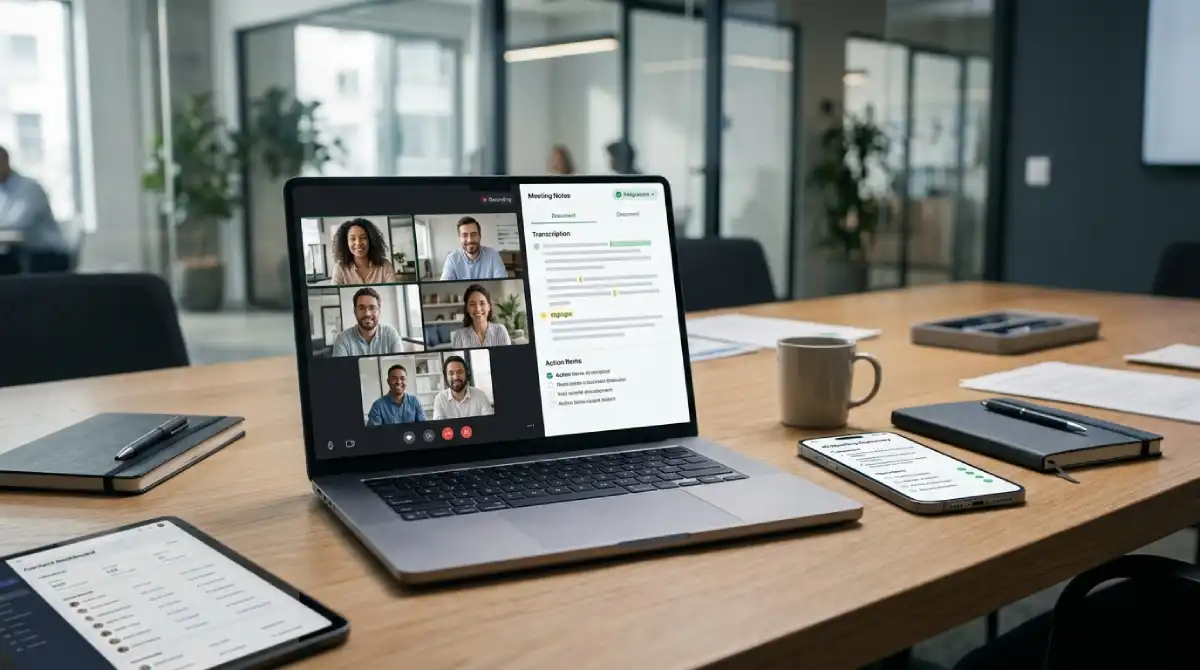
The best AI meeting notetaker apps in 2026 are Fireflies.ai, Granola, Fathom, and tl;dv. Each one transcribes calls, writes summaries, and pulls out action items automatically. The right pick depends on your need for CRM integrations, bot-free recording, or a free plan.
Table Of Content
- Quick Comparison: Best AI Meeting Notetaker Apps at a Glance
- What Actually Matters When Picking an AI Meeting Notetaker App
- 1. Fireflies.ai: Best for Power Users and Integrations
- 2. Granola: Best for Privacy-Conscious Solo Operators
- 3. Fathom: Best Free AI Meeting Notetaker App
- 4. tl;dv: Best for Sales and Compliance-Heavy Teams
- 5. Otter.ai: Best for Cross-Platform Teams and Students
- 6. Krisp: Best for Noisy Home Offices
- 7. Microsoft Teams Native Tools: Best for Microsoft 365 Shops
- Frequently Asked Questions
- Final Thoughts
I have spent the last few months running these tools across real client calls, team standups, and sales demos. Transcription accuracy has become fairly similar across the board this year. What separates one AI meeting notetaker app from another is privacy and workflow fit. It also comes down to how the notes land in your other tools.
This roundup of the best AI meeting notetaker apps focuses on real usage rather than marketing claims. Every pick below earned its spot after weeks of side-by-side testing.
Quick Comparison: Best AI Meeting Notetaker Apps at a Glance
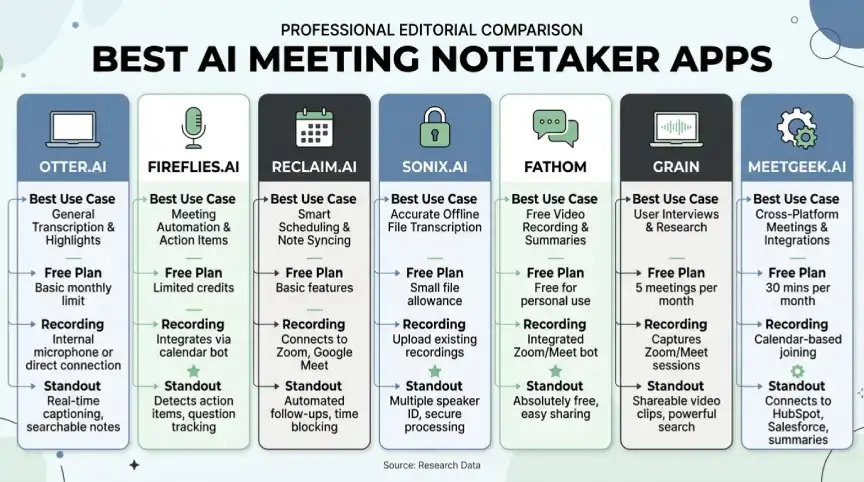
| App | Best For | Free Plan | Bot or Bot-Free | Standout Feature |
|---|---|---|---|---|
| Fireflies.ai | Power users and integrations | Yes, limited minutes | Bot-based | Cross-meeting search and talk-time analytics |
| Granola | Solo operators and founders | Yes, limited notes | Bot-free (Mac) | Notes built from your own typed highlights |
| Fathom | Budget-conscious teams | Yes, generous tier | Bot-based | Unlimited free recording and summaries |
| tl;dv | Sales and compliance-heavy teams | Yes, limited recordings | Both options | Enterprise-grade compliance controls |
| Otter.ai | Cross-platform teams and students | Yes, limited minutes | Bot-based | Long history and broad platform support |
| Krisp | Noisy home offices | Yes, limited features | Bot-free | Noise cancellation plus note-taking in one app |
| Microsoft Teams native tools | Microsoft 365 shops | Included with license | Built-in | No third-party bot required |
This table gives you a fast overview before you commit to a free trial. The sections below explain why each app earns its spot on this list.
What Actually Matters When Picking an AI Meeting Notetaker App
Transcription accuracy used to be the main selling point for these tools. In 2026, most established AI meeting notetaker apps hit similar accuracy scores in English. That commoditization means the real decision now comes down to a few practical factors.
The first factor is whether the app joins your call as a visible bot. A bot can feel awkward in client calls or interviews where privacy matters. Bot-free tools like Granola and Krisp record locally instead, which keeps the meeting looking normal to everyone else.
The second factor is integration depth. A sales team needs notes that land directly in a CRM like HubSpot or Salesforce. A product team may only need a searchable archive and shareable summaries inside Slack or Notion.
Pricing structure matters too, especially for small teams testing tools before a full rollout. Some AI meeting notetaker apps cap free usage by minutes per month. Others cap it by number of meetings or by the length of the summary you can generate.
Keep these three factors in mind while comparing the best AI meeting notetaker apps below. The right answer often depends more on your team’s habits than on any single feature.
1. Fireflies.ai: Best for Power Users and Integrations
Fireflies.ai remains one of the most feature-packed AI meeting notetaker apps on the market. It supports transcription in more than 100 languages, which is rare among competitors. The app also includes topic tracking, talk-time analytics, and a chatbot that can answer questions about past calls.
Its integration list covers Slack, Asana, HubSpot, and most major CRMs. That makes it a strong pick for operations and revenue teams that live inside several tools at once. The main trade-off is that the Fireflies bot joins meetings visibly, which some users find intrusive.
Fireflies works well for teams that value depth over simplicity. If your team already juggles a handful of connected apps, the integration list alone can justify the switch. Smaller teams that just want quick summaries may find the feature set more than they need.
2. Granola: Best for Privacy-Conscious Solo Operators
Granola has become one of the most talked-about AI meeting notetaker apps among founders and independent consultants this year. It runs locally on a Mac and never joins the call as a separate participant. Instead, it listens quietly while you type rough notes, then turns those notes into a polished summary.
This bot-free design is the app’s biggest selling point. Clients never see a recording notice, which matters in sensitive negotiations or first sales calls. Granola also includes templates for one-on-ones, board meetings, and customer calls.
The main limitation right now is platform support, since Granola is Mac-only. It also lacks native CRM or applicant tracking system write-back. The output works better for a person than for a system. For solo operators, that trade-off rarely matters.
3. Fathom: Best Free AI Meeting Notetaker App
Fathom built its reputation by offering a genuinely generous free tier. Many competitors charge twenty dollars a month for features Fathom includes at no cost. It records calls, generates summaries, and highlights key moments automatically for individual users.
For freelancers, small nonprofits, or teams testing whether AI notetaking fits their workflow, Fathom removes the financial barrier entirely. The transcription quality holds up well against paid alternatives in day-to-day use.
Fathom does still use a visible bot that joins the call. If bot-free recording is a hard requirement, this app will not be the right fit. For everyone else, it is one of the easiest ways to try an AI notetaker without a credit card.
4. tl;dv: Best for Sales and Compliance-Heavy Teams
tl;dv stands out by combining meeting recording with the compliance features that larger organizations often require. It offers both bot-based and bot-free recording, giving teams flexibility depending on the meeting type. Sales teams in particular benefit from its clip-sharing tools for internal coaching.
The app also supports multi-language transcription and integrates with common sales and support platforms. That combination makes it a popular choice for revenue operations teams that need documentation for audits or training.
Smaller teams without compliance requirements may not need every feature tl;dv offers. For regulated industries or growing sales teams, though, it remains one of the more complete options available.
5. Otter.ai: Best for Cross-Platform Teams and Students
Otter.ai was one of the earliest names in this category and still has strong brand recognition. It works across Zoom, Google Meet, and Microsoft Teams, with mobile apps for both iOS and Android. Students and educators often use it for lecture transcription as well as meetings.
Some newer reviews note that Otter has slowed its pace of improvement compared to fresher competitors. Language support and free-tier minute limits have become more restrictive over time. Even so, its broad platform support keeps it relevant for mixed-device teams.
Otter remains a safe, familiar choice for anyone who wants a well-known name with solid basic functionality. Power users chasing the newest CRM integrations may want to compare it against Fireflies or tl;dv first.
6. Krisp: Best for Noisy Home Offices
Krisp started as a noise cancellation tool before adding AI meeting notes as a natural extension. It cleans up background noise in real time while simultaneously generating a transcript and summary. That combination is unique among AI meeting notetaker apps on this list.
For remote workers dealing with barking dogs or noisy coworking spaces, this dual function solves two problems at once. The note-taking features are solid, though less deep than dedicated tools like Fireflies.
Krisp fits best as a secondary tool layered on top of your existing meeting software. If audio quality is your main frustration, it may be worth trying before a full-featured notetaker.
7. Microsoft Teams Native Tools: Best for Microsoft 365 Shops
Organizations already running Microsoft 365 have native options built directly into Teams. Copilot and the Facilitator agent generate live notes and track agendas automatically. Both summarize decisions without a third-party bot joining the call, keeping everything inside Microsoft’s ecosystem.
The benefit here is simplicity for IT departments that want to avoid a new vendor. Since notetaking lives inside Teams, employees do not need to install a separate app.
The trade-off is that these native tools are less flexible for teams that also use Zoom or Meet. For companies fully committed to Microsoft 365, this option removes a lot of procurement friction.
Frequently Asked Questions
What is the best AI meeting notetaker app for small teams?
Fireflies.ai and Fathom are strong starting points for small teams. Fireflies offers deeper integrations, while Fathom offers a more generous free plan.
Are AI meeting notetaker apps accurate enough to replace human note takers?
Most established apps now score above 90 percent transcription accuracy in English. Accuracy can drop with heavy accents, overlapping speakers, or poor audio quality.
Do AI meeting notetaker apps work with Zoom, Google Meet, and Microsoft Teams?
Yes, nearly all of the best AI meeting notetaker apps support these three platforms. Some, like tl;dv and Fireflies, also support additional video conferencing tools.
Is there a free AI meeting notetaker app?
Fathom offers one of the most generous free tiers currently available. Otter, Fireflies, and Granola also offer limited free plans for individual users.
What is the difference between a bot-based and bot-free AI notetaker?
A bot-based app joins the call as a visible participant to record it. A bot-free app, like Granola or Krisp, records locally without appearing on the call.
Can AI meeting notetaker apps sync directly with a CRM?
Yes, tools like Fireflies and tl;dv offer native sync with platforms such as HubSpot and Salesforce. This saves sales teams from manually copying notes after every call.
Final Thoughts
Choosing the best AI meeting notetaker app comes down to your team’s privacy needs, budget, and existing tool stack. Whichever option you pick from this list, run the free trial before committing to a paid plan. Fireflies and tl;dv suit teams that need deep integrations and compliance features. Fathom and Granola suit smaller teams or solo operators who want simplicity and a lower price.
Many of these apps rely on freemium pricing, a model we break down in our guide to how apps make money. For more software worth trying, see our roundups of the best AI productivity apps for remote workers and the best AI apps of 2026. Teams building automated workflows may also like our guide to the best tools to build AI agents.
Browse more picks like this in our Apps category for the latest software worth your time.



No Comment! Be the first one.