




Smart Office Technology: A Clear Guide for Better Work Efficiency
Transform your workspace with Smart Office Tech: from AI-driven automation to IoT sensors. Discover how simple tools like smart desks and cloud systems boost productivity, enhance security, and...
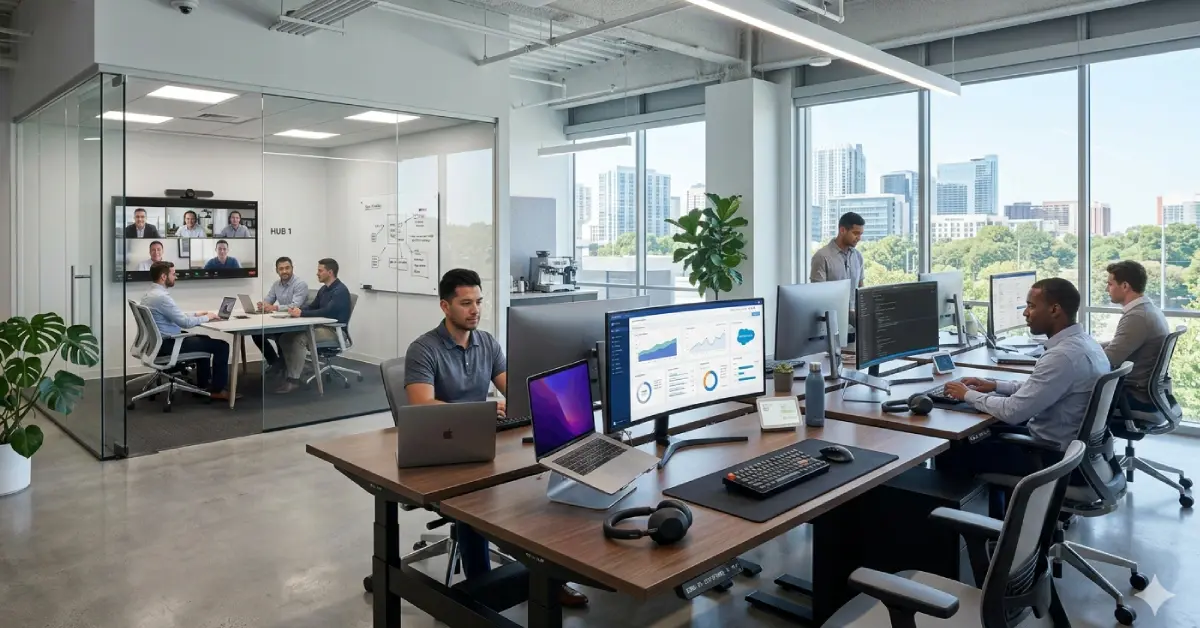
Have you ever wondered why some offices are always running smoothly, even before you come to work? You come in, and everything is made ready. Lights turn on. Rooms stay set. Files stay safe. Work feels easy. People question how all this takes place. This is a result of Smart Office Technology. These tools assist the office in working simply and straightforwardly.
Table Of Content
In Tech and Trends, you learn how to fix problems. You can understand tech in simple terms. You will be eligible to find easy tricks that can be applied when using every tool. What works better and how to make your office operate like a well-oiled machine. Smart systems fix these issues with features like real-time task tracking, secure digital storage, instant notifications, and automated approvals.
What Is a Smart Office
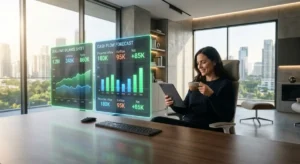
A smart office uses Smart Office Automation to run daily tasks with ease. The lights turn on when someone enters. The temperature stays comfortable. Devices connect fast. Small errors are reduced because systems handle routine steps on their own. Meeting rooms get ready on time, and tools are updated in real time. Time is saved, and focus stays strong. Energy goes into important work instead of small tasks. The space stays clean, modern, and organized, which keeps work simple and steady.
Basic Technologies of Smart Office
Smart Access Control
Smart access control is used in place of regular keys. It uses digital entry. Entering the Smart Technology Head Office is possible with your fingerprint or face. It increases safety. No one comes into the house without a reason. Managers are not afraid since the system is active throughout the day and night. The work environment is kept safe.
IoT Sensors
IoT sensors are tiny gadgets that detect changes in their surroundings. They can sense movement, light, and temperature. They gather the information and relay it to systems that consume the information. These sensors are required in Smart Office Designs. They assist the office in maintaining security.
Cloud-Based Data Storage
Cloud storage stores your files on the Internet. The Internet lets you access your files wherever you are. Your information is not exposed to loss or technological issues. There is an opportunity to work on the same files by a great number of people. You can share work easily. You have your files as backup always. It is not lost when it is important.
Smart Desks
Smart desks help your body remain healthy. You are able to elevate the desk or lower it. You are allowed to work when seated. Sedentary lifestyles are unhealthy as they retard blood circulation. Intelligent desks assist you in moving more. Smart desks reduce back and neck pain. They help you stay focused. Individuals who utilize intelligent desks remain energetic. They are more comfortable and healthy. Work feels easier for them.
Smart Conference Rooms
The intelligent conference rooms do not have any problems with network-connected devices. Meetings start fast. You do not erect things with your own hands. Individuals are connected to the meeting within seconds. Without any additional delay, screens present your slides. The movement in the work within the room is smooth.
Video Collaboration Tools
Video tools assist individuals in working remotely. You can talk through video. You can talk through audio. You can share your screen via Zoom, Microsoft Teams, Google Meet, and Loom. These tools are used by teams in order to share ideas and check projects. These tools assist individuals in collaborating despite their absence of proximity.
Smart Security Cameras
Smart security cameras operate using the Internet. Watch on smartphone and laptop. They patrol the malls and corridors and assist in making you aware when an intruder gets in. These cameras allow you to have a glimpse of the office even when you are absent.
Digital Whiteboards
Digital whiteboards are whiteboard screens that can be written on. You can draw and save your ideas. The board allows many individuals to work simultaneously. These whiteboards assist in the planning of teams and help distant members observe and participate in the conversation. Meetings stay organized.
Occupancy Management Systems.
Occupancy systems track the number of people in each room and support a secure environment. These tools improve space usage and guide staff away from crowded areas. Managers receive clear data for stronger decisions about layout and resource planning. Order stays consistent across the workplace, and daily operations move with clarity.
Smart Printers
Intelligent printers save on paper wastage. They ensure that the printing of documents is done only when necessary. There are printers that are smart and can be printed remotely. These tools maintain themselves, too. The work in the office remains unproblematic as printing remains easy and understandable.
Workflow Automation Tools
Workflow software performs manual tasks on your behalf. They are automatically sent through email, make reports and fill data. These tasks get done faster. You make fewer mistakes. There is more time to do important work. Energy management systems help offices monitor the amount of energy consumed. Such systems assist in saving money.
Smart Office Apps
Smart apps make you manage your day. You can arrange meetings and track tasks. You can share documents and talk to your team as well. These apps are downloadable on your computer, tablet, or phone. These applications assist you in completing assignments coherently and systematically.
Voice Assistants
Voice assistants respond to spoken commands and handle simple tasks fast. Voice inputs set reminders, schedule work, and call people with ease. Voice control runs office devices without stopping ongoing tasks. Time is saved, and efficiency rises. Daily chores become easier and hands-free, which keeps the smart office smooth and organized.
Digital Signage
Digital signage involves screens. These screens are used to display information and updates in a fast manner. You can find them in offices, lobbies and entrances. They are assisted in the communication of news, schedules, and significant messages. Such screens are attention-grabbing.
Smart Office Pods
An office pod is a small, personal structure within a busy office. They function as a small room where you can get down to business without distractions. The majority of the pods are soundproofed and fitted with power sockets. Pods work well in an open plan office because noise and distractions can cause employees to lose about 86 minutes of work each day. Pods give a quiet space that supports focus and steady output.
Benefits of a Smart Office
Better Productivity:
Smart office automation handles tasks faster and easier. It saves time and reduces mistakes, so work gets done smoothly.
Better Team Collaboration:
Digital tools help teams communicate clearly. People can share ideas and collaborate even remotely.
Better Employee Comfort:
Smart desks, lighting, and other tools make the office comfortable. They protect health, reduce strain, and help employees focus better.
Smoother Operations:
Smart systems keep work flowing without delays. Errors are minimized, and office operations run efficiently and on time.
Implementation of Technology Smart Office
- Identify the real problems of the office, and see where time is wasted.
- Make a smart budget, which is still useful today and will continue to grow.
- While choosing tools, do not look at the surf features; also, see that all the tools work as a system.
- Upgrade the network; a strong Internet is the backbone of a smart office.
- Do the installation in small steps, and check each step so that no mistakes occur in the future.
- Train the team immediately, show them that these tools will speed up their work.
- Take a close look at the system for a few days, and fix anything that seems slow immediately.
- Review the data and improve the setup from time to time.
- When the work becomes complex, involving experts, the system will run smoothly.
Final Thoughts
Smart offices improve daily work by raising speed and clarity. Slow steps are reduced because automated systems handle routine actions with accuracy. Data and space stay protected through secure tools. Comfort increases, and collaboration becomes smoother. When automation, cloud platforms, and connected devices work together under Smart Office Solutions, the workplace operates with stronger control and higher performance. This shift builds a solid path for future growth.
FAQs
What are the examples of Smart Office Technology
Smart desks, smart lights, smart cameras, smart apps, and smart meeting rooms help the office work better. These tools make work fast and simple.
What is Smart Office used for
SmartOffice helps you organize tasks and control devices. It makes your work easy and clear.
What are the technologies used in offices?
Offices use computers, smart sensors, cloud storage, video tools, and smart security systems. These tools help you work fast and stay safe.
What is the purpose of smart technology?
Smart technology saves time and reduces effort. It helps you work simply and smoothly.
What are five positive effects of technology?
It saves time. It helps you talk to your team. It keeps data safe. It improves comfort. It makes work easy to manage.



No Comment! Be the first one.