





AI Browser Agents for Small Business: What Owners Are Actually Paying in 2026
ChatGPT Atlas is gone, and the AI browser market has reshuffled. Here is what AI browser agents for small business actually cost in 2026, what they do well, and where they still waste your team's...

Most AI browser agents for small business cost between free and 20 dollars a month for basic use. Heavier agent plans run up to 200 dollars. Pricing shifted hard in 2026 after OpenAI shut down ChatGPT Atlas in August. The market left behind is smaller, cheaper, and more focused on actual task completion.
Table Of Content
- What an AI Browser Agent Actually Does
- What Changed When ChatGPT Atlas Shut Down
- What AI Browser Agents for Small Business Cost Right Now
- Which Tool Fits Which Kind of Small Business
- The Real ROI Question for Small Business Owners
- Where AI Browser Agents Still Fall Short
- How to Pilot AI Browser Agents for Small Business Without Wasting a Month
- Frequently Asked Questions
- What This Means Before You Add Another Subscription
For a small business owner, the real question is not whether these tools are impressive. It is whether letting an AI agent click through your booking system or CRM saves paid hours. This guide breaks down current pricing, real use cases, and where AI browser agents for small business still need close supervision.
What an AI Browser Agent Actually Does
An AI browser agent reads a web page the way a person would, then clicks, types, and navigates on its own. Unlike a chatbot that only answers questions, an agent completes multi-step tasks. That includes filling out a form or comparing prices across five supplier sites. Some run inside a dedicated browser, while others operate as a Chrome or Edge extension.
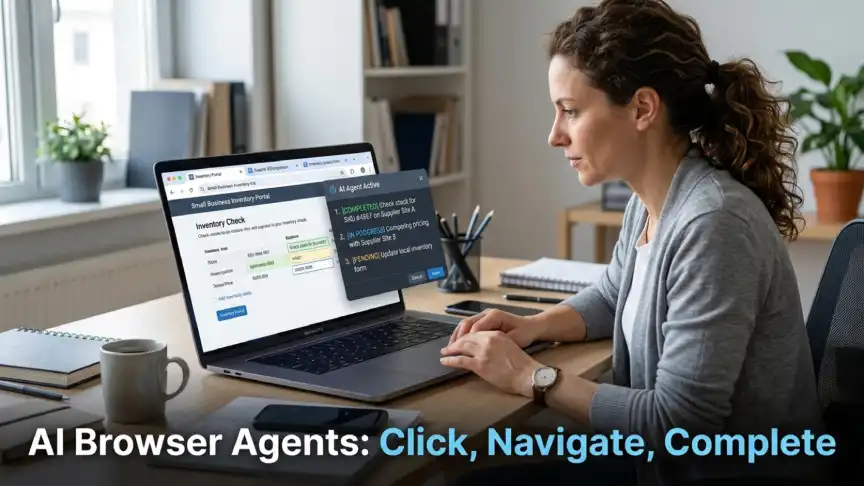
For small teams, the appeal is straightforward. A task that takes an employee 20 minutes, like checking inventory across three vendor portals, can run in the background. That frees the employee for work that actually needs judgment. The catch is that agents still make mistakes on unfamiliar layouts, and a wrong click on a payment page is not a small error.
Most current tools fall into two designs. Standalone AI browsers replace your existing browser entirely, which means migrating bookmarks, saved logins, and extensions. Browser extensions instead add agent features on top of Chrome or Edge, keeping your existing setup intact. For a small team already comfortable with one browser, the extension route usually means a shorter learning curve and less resistance from staff.
What Changed When ChatGPT Atlas Shut Down
Atlas launched in October 2025 as OpenAI’s standalone AI browser. According to OpenAI’s own migration notice, Atlas was scheduled to stop working on August 9, 2026. OpenAI folded agent mode and browsing memory into the main ChatGPT desktop app and a Chrome extension. Businesses that had built workflows around Atlas faced a tight window to export bookmarks and rebuild automations.
The bigger lesson here is about vendor risk, not nostalgia for one product. A tool can launch with heavy marketing and still disappear within a year. Before committing staff time to any AI browser agent, ask how core that product is to its maker’s long-term plans. Also check whether it runs as an extension inside a browser you already use, since that makes any future migration far less disruptive.
What AI Browser Agents for Small Business Cost Right Now
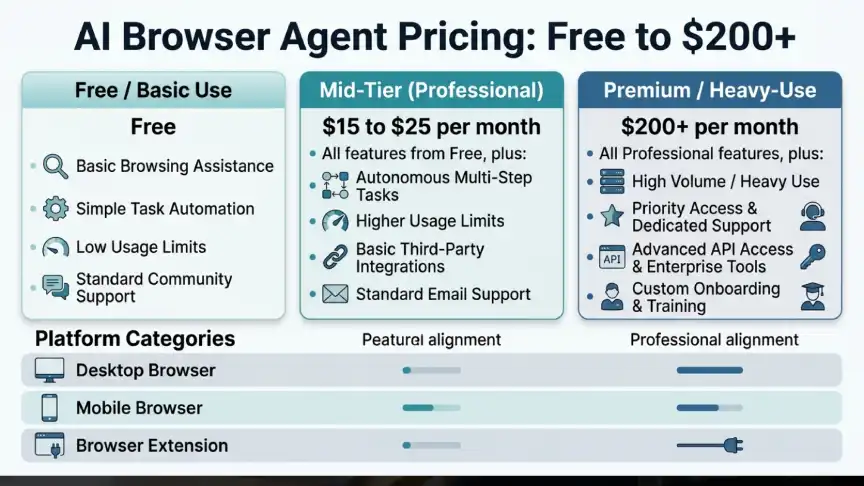
Pricing across the category splits into three tiers. Free tools offer basic browsing help, mid-tier plans run 15 to 25 dollars a month, and premium plans sit near 200 dollars for heavy daily use. Most vendors offer a free tier to get users comfortable before upselling agent features.
Here is how the main tiers typically break down for a small team:
- Free tier: basic page summaries, simple search help, limited or no autonomous clicking
- Mid tier ($15-25/month): full agent mode, multi-step task completion, priority support
- Premium tier (~$200/month): highest usage limits, faster processing, priority access to new features
| Tool | Best for | Price | Platform notes |
|---|---|---|---|
| Perplexity Comet | Research and multi-step web tasks | Free, Pro around $20/month | Windows, macOS, iOS, Android |
| Brave Leo | Privacy-focused browsing help | Free | All major platforms |
| Opera Neon | Parallel autonomous tasks | Around $20/month | Desktop only |
| Microsoft Edge Copilot Mode | Teams already on Microsoft 365 | Free, bundled with Copilot Pro | All platforms |
| Anthropic Claude in Chrome | Agentic work inside your existing browser | Included with eligible Claude plans | Chrome extension |
Prices in this category shift often, so treat any pricing table as a snapshot rather than a permanent reference. Confirm current terms on each vendor’s own pricing page before budgeting for a team rollout.
Which Tool Fits Which Kind of Small Business
A solo founder doing light research and competitor tracking rarely needs more than a free tier tool. A five-person team handling recurring data entry across vendor portals usually justifies a mid-tier plan once time savings are measured. A business already paying for Microsoft 365 often gets the most value from Edge’s Copilot Mode, since it needs no new login system. Teams already using Claude for writing or research may find it simpler to add browsing through the same account.
The Real ROI Question for Small Business Owners
The honest way to evaluate an AI browser agent is to time a task before and after adoption. If a bookkeeper spends four hours a week pulling invoice data from five portals, and an agent cuts that to one hour, the math is simple. At 25 dollars an hour, that is roughly 300 dollars a month recovered against a 20-dollar subscription.
The same logic applies outside bookkeeping. A sales rep who spends three hours a week researching leads across company websites can often cut that time in half with an agent handling the first pass. That leaves more hours for actual outreach calls, which is where a rep’s time is worth the most.
Where the math gets murkier is oversight time. Early agent tools require close review, especially on anything touching payments or customer data. If a manager spends 90 minutes a week checking agent output, that cost comes out of the savings side. Businesses that skip this step tend to overstate their actual time saved.
A useful test is to run the same task manually and with an agent for two full weeks before deciding anything. This accounts for the learning curve that comes with any new tool, since first week results are often worse than they will be later. Only after that comparison period should a business commit to a paid tier across the whole team.
Where AI Browser Agents Still Fall Short
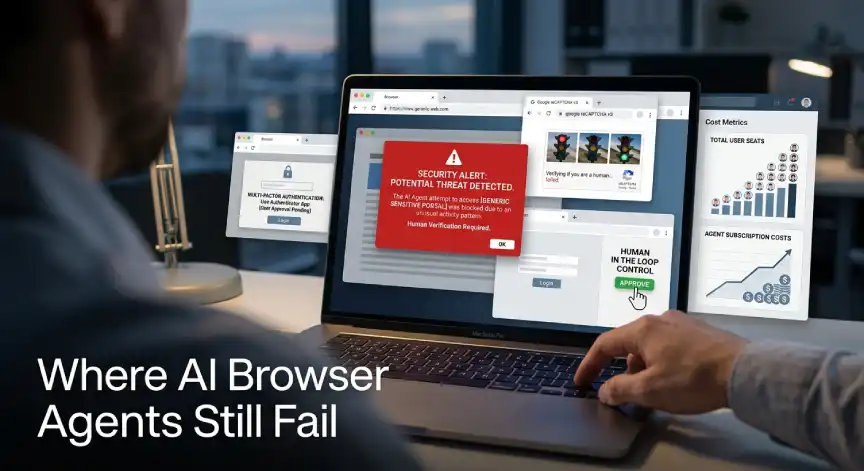
In October 2025, security firm LayerX disclosed a flaw it called “Tainted Memories”, which could let a malicious page inject hidden instructions into an AI assistant’s memory. OpenAI told reporters it could not reproduce the exploit, but the report is a useful reminder either way. Agent tools should be limited to a known, tested set of sites, especially anywhere near payments or client records.
Agents also struggle with sites using heavy CAPTCHA checks or unusual login flows. Retail and travel booking sites are common failure points because they resist automated browsing on purpose. Government portals and older supplier systems cause similar problems, since their layouts often change without warning.
Cost creep is another quiet risk worth watching. Per-seat pricing can add up fast once a team scales past five or six active users, especially on premium tiers. Testing an agent on your actual workflow first, before a company-wide rollout, catches most of these gaps and cost surprises early.
How to Pilot AI Browser Agents for Small Business Without Wasting a Month
Start with one task that is repetitive, low risk, and easy to measure. Pulling competitor pricing or compiling a weekly report from a known dashboard both work well. Run the agent alongside the employee doing it manually for one week. Compare time and accuracy directly instead of guessing at the improvement.
Track three simple numbers during the pilot: time saved per task, errors caught during review, and total oversight time spent checking the agent’s work. These figures give a clearer picture than a general sense that the tool feels faster. Set a hard rule that any task touching payments or contracts needs human confirmation first.
Most reputable tools already pause for approval on sensitive actions. A written internal policy closes the gap for tools that do not. Once the pilot task is stable and the numbers hold up over a second week, add a second workflow rather than rolling out several at once.
Staff buy-in matters more than the tool choice itself. An employee who feels replaced by the agent will look for reasons it fails. One who sees it as removing a boring task tends to give it a fair trial. Framing the pilot as freeing up time for higher-value work, rather than as a cost-cutting measure, usually gets better cooperation.
Frequently Asked Questions
Is ChatGPT Atlas still available for small businesses?
No. OpenAI shut down ChatGPT Atlas on August 9, 2026, and moved its features into the ChatGPT desktop app and a Chrome extension.
Do AI browser agents work safely with banking or payment sites?
Most vendors pause for manual approval before submitting payments. Security researchers have flagged memory injection risks on unfamiliar sites, so test carefully first.
How much should a small business budget for AI browser agents?
Budget 20 to 25 dollars a month per active user for a mid-tier plan. That covers most small team use cases without premium features.
Can these tools replace a virtual assistant?
They absorb specific repetitive tasks like data pulls or price comparisons. They still need human oversight on judgment calls, so they work better as a time saver.
Which AI browser agent is best for a team already using Microsoft 365?
Microsoft Edge’s Copilot Mode integrates directly with Microsoft 365 files and accounts. That usually means less setup than switching browsers entirely.
What This Means Before You Add Another Subscription
The AI browser agent market moved fast enough in 2026 that last year’s top pick is already gone. Before adding one to your stack, run a small pilot and track actual hours saved. Build in a human checkpoint for anything sensitive, and you get a real answer instead of a guess.
Explore more Business Tech coverage for other tools worth testing before you commit budget. Next up: a closer look at how small teams are using AI agents inside their CRM instead of just their browser.






No Comment! Be the first one.