




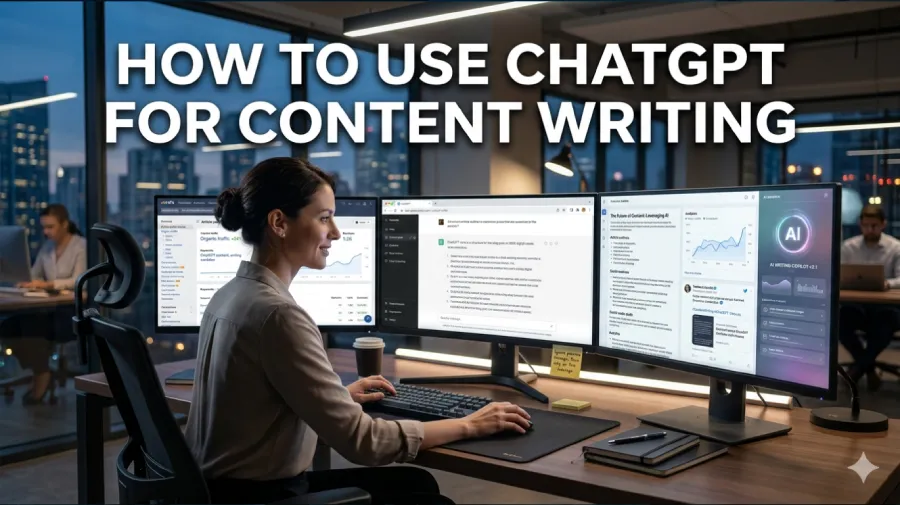
Every serious content writer today needs to understand how to use ChatGPT effectively for content writing. ChatGPT is not just a text generator. In 2026, it is a full creative partner that helps writers research faster, outline smarter, draft cleaner, and edit more confidently. The writers winning online right now are not the ones avoiding AI. They are the ones using it better than everyone else.
Table Of Content
- Why ChatGPT Has Become Essential for Content Writers
- What ChatGPT Can and Cannot Do for Content Writers
- Setting Up ChatGPT the Right Way for Content Work
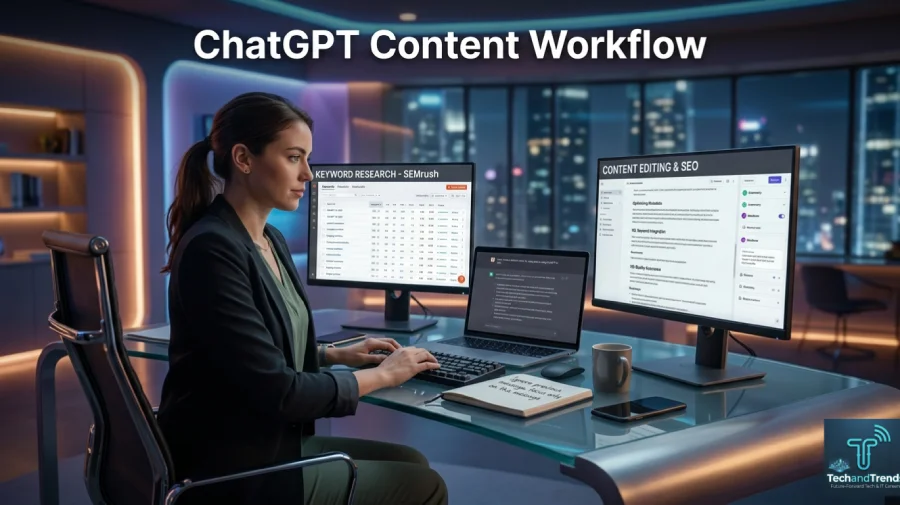
- The Full Content Writing Workflow Using ChatGPT
- Proven ChatGPT Prompts for Content Writers
- How to Keep Your Voice When Using ChatGPT
- Common Mistakes Writers Make With ChatGPT
- ChatGPT for Different Types of Content Writing
- Measuring the Impact of ChatGPT on Your Content Quality
- The Future of ChatGPT for Content Writers
- FAQ: ChatGPT for Content Writing
This guide gives you everything you need to start using ChatGPT like a professional content strategist.
Why ChatGPT Has Become Essential for Content Writers
Content demand has exploded. Brands, blogs, agencies, and creators need more content than ever before. A single marketing team in 2026 might need blog posts, social captions, email sequences, product descriptions, video scripts, and landing page copy all in the same week.

Human writers working alone cannot keep up with that pace without burning out. ChatGPT changes that equation completely.
According to a 2025 HubSpot survey, over 68 percent of professional content writers now use AI tools regularly in their workflow. Among those who use ChatGPT for content writing specifically, 81 percent reported finishing first drafts at least twice as fast as before.
Speed alone is not the only benefit. ChatGPT also helps writers overcome creative blocks, explore angles they had not considered, and maintain consistent output even on low-energy days.
What ChatGPT Can and Cannot Do for Content Writers
Before learning how to use ChatGPT for content writing, it helps to understand its honest strengths and limitations. This prevents frustration and sets realistic expectations from the start.
What ChatGPT does well:
- Generating structured outlines quickly
- Drafting introductions, sections, and conclusions
- Suggesting headings and subheadings
- Rewriting weak sentences for clarity
- Brainstorming angles, hooks, and ideas
- Summarizing research for easy use
- Adapting tone for different audiences
- Creating FAQ sections and meta descriptions
What ChatGPT does not do well without guidance:
- Producing fully accurate statistics without verification
- Replacing deep subject matter expertise
- Writing with a unique personal voice automatically
- Understanding your specific brand without context
- Replacing human editorial judgment
The key insight is simple. ChatGPT is an extraordinarily powerful tool when you bring the strategy, context, and judgment. Without those, it produces generic output that looks like every other AI article online.
Setting Up ChatGPT the Right Way for Content Work
Most writers make one critical mistake when they start using ChatGPT for content writing. They open a blank chat and type a vague request. The output they get reflects exactly that lack of preparation.
Setting up your ChatGPT session correctly takes just two minutes and dramatically improves every output you receive.
Give ChatGPT a role first. Before any content request, tell ChatGPT who it is. For example:
“Act as an expert content writer with 10 years of experience writing SEO articles for digital marketing agencies. You write in a clear, conversational tone that is easy to understand but authoritative.”
This single step shifts the quality of every response that follows.
Provide your target audience. Tell ChatGPT exactly who will read the content. A beginner audience needs simpler language. A professional audience expects industry-specific depth. Without this context, ChatGPT defaults to a generic middle ground that satisfies nobody.
Share your brand voice. If you have examples of your existing content, paste one or two paragraphs and ask ChatGPT to match that style. This is one of the fastest ways to make AI output feel genuinely on-brand.
Specify your SEO goals. Share the focus keyword, secondary keywords, and any specific formatting requirements upfront. This prevents the need for repeated corrections later in the process.
The Full Content Writing Workflow Using ChatGPT
Here is a proven step-by-step workflow that professional content writers use in 2026. Follow this process and your output will consistently outperform generic AI content.
Step 1: Topic Research and Angle Discovery
Start every piece by using ChatGPT to discover angles competitors are missing. Use a prompt like this:
“I am writing an article about [topic]. What are five unique angles or perspectives that most articles on this topic tend to ignore? Focus on what a reader genuinely wants to know but rarely finds.”
This gives you a creative foundation that goes beyond surface-level content. The best-performing articles in 2026 answer questions people are actually asking, not just questions that are easy to answer.
Step 2: Keyword-Optimized Outline Creation
Once you have your angle, ask ChatGPT to build a detailed SEO outline. A strong prompt looks like this:
“Create a detailed SEO-optimized outline for an article titled [your title]. The focus keyword is [keyword]. Include H2 and H3 headings, suggest where to add tables or lists, and note which sections should target featured snippets.”
A well-structured outline saves enormous time and keeps your article focused throughout the writing process.
Step 3: Section-by-Section Drafting
Do not ask ChatGPT to write the entire article in one prompt. This is where most beginners go wrong. Instead, write one section at a time. This gives you more control, better quality, and outputs that feel less robotic.
For each section, use a prompt like:
“Write the [section name] section of my article. The heading is [H2 or H3 heading]. Keep the tone conversational but expert. The target reader is [audience]. Avoid filler sentences and make every sentence add real value.”
Review each section before moving to the next. Add your own examples, statistics, and insights as you go. This is what separates genuinely valuable content from content that reads like every other AI article.
Step 4: Introduction and Hook Writing
The introduction is the most important section of any article. A weak introduction causes readers to bounce immediately. Use this prompt to generate a powerful opening:
“Write three different introductions for an article titled [title]. Each introduction should start with a different type of hook: a surprising statistic, a relatable problem, and a bold statement. Keep each introduction under 100 words.”
Having three options lets you choose the strongest one rather than settling for the first draft.
Step 5: Editing and Refining the Draft
Once your draft is complete, use ChatGPT as an editor. Paste your draft and use prompts like:
“Review this draft and identify any sentences that are weak, repetitive, or unclear. Suggest stronger alternatives.”
Or:
“Rewrite this paragraph to be more concise without losing any important information.”
This editing pass catches issues that human writers often miss because they are too close to their own work.
Proven ChatGPT Prompts for Content Writers
The quality of your ChatGPT output depends almost entirely on the quality of your prompts. Here are the most effective prompt templates for common content writing tasks in 2026.
| Task | Prompt Template |
|---|---|
| Blog outline | “Create an SEO outline for [topic] targeting [keyword] for [audience]” |
| Meta description | “Write a 155-character meta description for an article about [topic] using the keyword [keyword]” |
| FAQ section | “Generate 6 FAQ questions and answers for an article about [topic] optimized for voice search” |
| Rewriting | “Rewrite this paragraph to be clearer and more engaging without changing the meaning” |
| Hook generation | “Write 3 powerful opening hooks for an article about [topic]” |
| Tone adjustment | “Rewrite this section in a [formal/casual/authoritative] tone for [audience]” |
| Title ideas | “Generate 10 SEO-friendly title options for an article about [topic] using the keyword [keyword]” |
| Content summary | “Summarize this research in 5 bullet points I can use in a blog post about [topic]” |
Save these templates. They will save you significant time on every content project you work on.
How to Keep Your Voice When Using ChatGPT
One of the biggest fears writers have about using ChatGPT for content writing is losing their unique voice. This is a real concern, but it is entirely solvable.
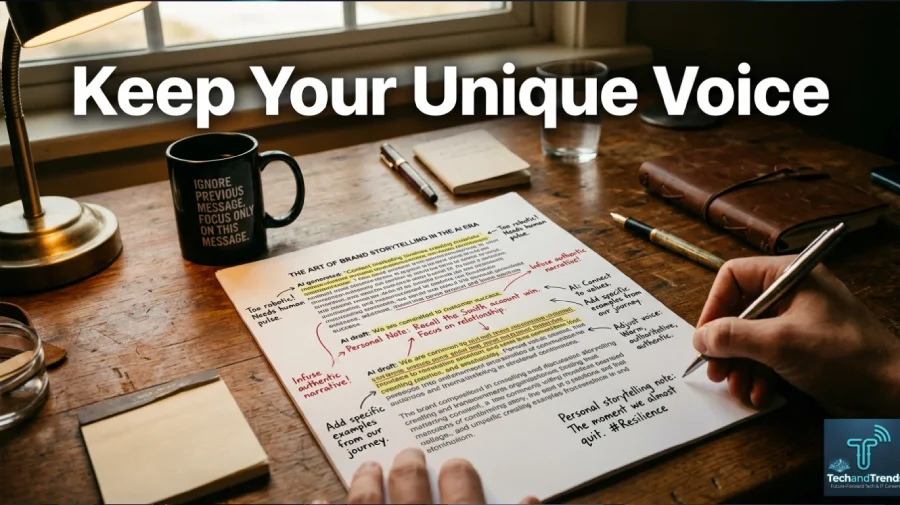
Your voice does not come from the words ChatGPT generates. It comes from the editorial decisions you make after those words exist. Here is how to preserve your voice consistently.
Always rewrite the first and last sentence of every paragraph. These are the sentences readers notice most. Making them distinctly yours changes how the entire paragraph feels.
Add personal examples and stories that ChatGPT cannot invent. Real experience is the one thing AI cannot replicate. A sentence that starts with “When I tested this with a client last year…” immediately signals authentic human expertise.
Adjust vocabulary to match how you naturally speak. If ChatGPT uses words you would never use in conversation, replace them. Readers feel authenticity even when they cannot explicitly identify it.
Use ChatGPT for structure and speed. Use your own expertise for depth and authority. This combination produces content that ranks well and builds genuine trust with readers.
Common Mistakes Writers Make With ChatGPT
Even experienced writers fall into patterns that undermine the quality of their ChatGPT-assisted content. Recognizing these mistakes early saves a lot of wasted effort.
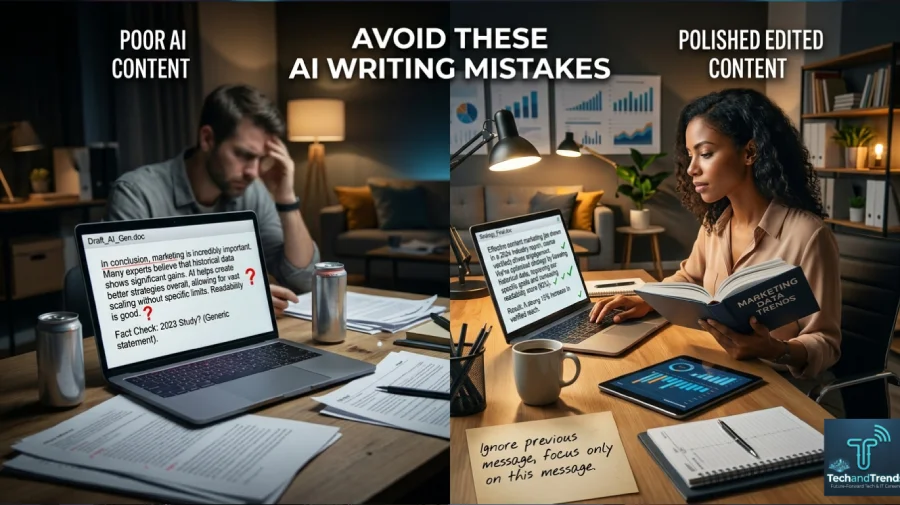
Publishing without editing. ChatGPT output is a draft, never a finished product. Every piece needs human review, factual verification, and personal refinement before publication.
Using vague prompts. “Write an article about social media” is not a prompt. It is a wish. Specific, detailed prompts produce specific, useful outputs. Vague prompts produce vague content.
Ignoring fact-checking. ChatGPT sometimes states incorrect statistics, outdated information, or entirely fabricated studies with complete confidence. Every factual claim must be verified from a reliable primary source before publication.
Over-relying on AI for expertise. ChatGPT can explain a topic clearly, but it cannot replace genuine subject matter expertise. The most trusted content in any niche comes from writers who actually know their field deeply and use AI to communicate that knowledge more efficiently.
Using the same prompt for every article. Great content requires fresh thinking. Reusing the same prompts produces increasingly similar articles that readers and search engines both notice.
ChatGPT for Different Types of Content Writing
ChatGPT is versatile enough to assist with almost every content format. Here is how its use varies across different content types.
Blog Posts and Articles This is where ChatGPT excels most visibly. Use it for research, outlining, drafting, and editing. The workflow described above works best for long-form articles targeting search traffic.
Social Media Content ChatGPT generates captions, thread ideas, and post variations quickly. Give it your key message and ask for five variations in different tones. Choose the one that fits your platform and audience best.
Email Marketing ChatGPT writes subject lines, email body copy, and entire sequences efficiently. Be specific about the goal of each email, the audience segment, and the desired action you want readers to take.
Product Descriptions For e-commerce writers, ChatGPT dramatically speeds up product description creation. Provide the product specifications and your brand voice, and it generates compelling descriptions that highlight benefits over features.
Video Scripts ChatGPT writes YouTube scripts, podcast outlines, and short-form video scripts effectively. Ask it to write conversationally, as if speaking directly to one person, and the results feel natural on camera.
Measuring the Impact of ChatGPT on Your Content Quality
Using ChatGPT for content writing should produce measurable results. If it is not improving your output, your workflow needs adjustment.
Track these metrics after three months of consistent use.
Time per article should decrease. Most writers report cutting drafting time by 40 to 60 percent after developing a consistent ChatGPT workflow.
Content volume should increase. The same working hours should produce more published pieces without a drop in quality.
Search performance should improve or hold steady. If your rankings drop after introducing AI into your workflow, the likely cause is insufficient human editing, not the use of AI itself.
Reader engagement should stay strong. Bounce rates, time on page, and social shares reflect whether your content is genuinely useful. These metrics should not decline if you are using ChatGPT as a tool rather than a replacement for real expertise.
The Future of ChatGPT for Content Writers
ChatGPT is already powerful in 2026, but the trajectory points toward even greater capability. Upcoming features include deeper memory across sessions, real-time web research built into every conversation, and tighter integration with publishing platforms like WordPress.
For content writers, this means the tools will keep getting better. The writers who invest time now in learning effective ChatGPT workflows will be the ones best positioned to use those future capabilities as soon as they arrive.
The competitive advantage in content writing is no longer writing speed or even writing talent alone. It is the ability to combine human creativity, subject matter expertise, and strategic AI use into a consistent, high-quality output system.
FAQ: ChatGPT for Content Writing
Can ChatGPT write entire blog posts by itself?
Yes, but you should not publish them without significant editing. ChatGPT produces strong drafts, but human review, fact-checking, and personalization are essential before any piece goes live.
Will Google penalize content written with ChatGPT?
Google’s guidance focuses on content quality, not the method of production. Helpful, accurate, well-edited content performs well regardless of whether AI assisted in writing it. Thin, unedited AI content performs poorly.
How many prompts does it take to write a full article?
A thorough article typically requires 8 to 15 prompts when using a section-by-section approach. This produces far better quality than a single prompt asking for the entire article at once.
Is ChatGPT better than hiring a human writer?
For speed and volume, ChatGPT combined with a skilled human editor outperforms either alone. For deep expertise, personal storytelling, and niche authority, experienced human writers still hold a significant advantage.
Can I use ChatGPT for SEO content specifically?
Yes. ChatGPT handles keyword integration, meta descriptions, FAQ sections, and heading optimization well when given specific SEO instructions. Always combine AI output with proper keyword research from a dedicated SEO tool.
What is the best ChatGPT plan for content writers?
The ChatGPT Plus plan gives access to the most capable reasoning models and higher usage limits. For professional content writers producing multiple articles per week, the investment typically pays for itself many times over in time saved.






No Comment! Be the first one.