





Matter vs Zigbee: Which Smart Home Protocol Should You Buy in 2026?
Matter vs Zigbee compared on range, mesh, battery life, hub needs and real-world price, with a clear pick for renters and new smart homes in 2026.
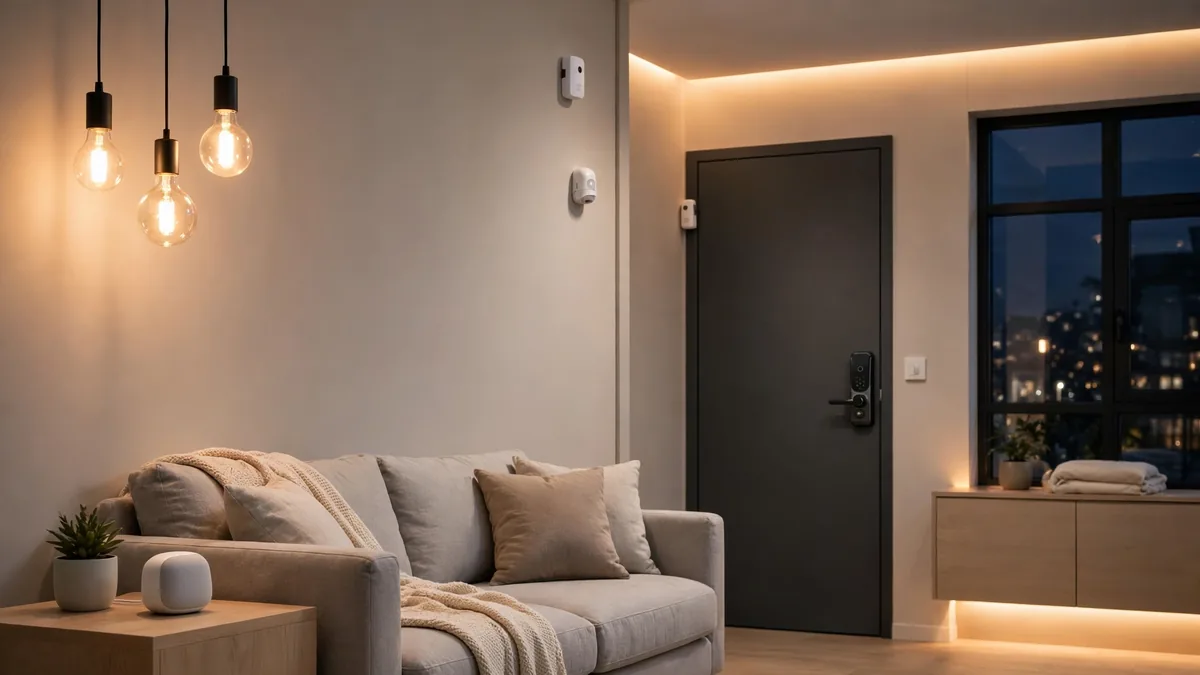
Stand in front of a shelf of smart sensors in 2026, and the Matter vs Zigbee debate is staring back at you from the boxes. The two names sit side by side, sometimes on the same product, and they get talked about as if they were two rival teams you have to pick between before you buy anything.
Table Of Content
- First, a Crucial Clarification: These Are Not the Same Kind of Thing
- Matter vs Zigbee: The Comparison Table
- Reliability and Interference in Real Homes
- Already Own Zigbee Devices? Bridges Mean They Keep Working
- The Renters’ Verdict
- The Setup Most Homes Should Actually Run: Both
- Buying Checklist
- Frequently Asked Questions
- One home, one app, the real goal
That framing sends a lot of people home with the wrong gear, because the honest answer depends less on which name is “better” and more on what you already own, what you rent, and how much you want to spend per sensor.
If you are starting from zero today, buy Matter devices, ideally Matter over Thread, because they work across every major app and will not trap you in one brand’s ecosystem.
If you already own a working pile of Zigbee sensors and bulbs, keep them; a bridge will fold them into a modern setup for far less than buying everything again.
And if your main goal is covering a whole home in cheap door, motion, and leak sensors, Zigbee still wins on price, and it is not particularly close. The rest of this guide explains why, acre by acre, feature by feature.
First, a Crucial Clarification: These Are Not the Same Kind of Thing
Before any comparison table makes sense, we need to fix a common confusion, because it drives a lot of bad buying:
Matter itself never travels through the air between devices to reach a sensor. It is a shared language, a set of rules for how devices identify themselves, take commands, and report status, published and maintained by the Connectivity Standards Alliance. For transport, Matter uses one of three local wireless options: Wi-Fi for mains-powered devices, Ethernet for fixed hubs, and Thread for low-power devices.
Zigbee is the opposite half of the coin: it is a radio and a mesh network, not a language. A Zigbee sensor transmits on the 2.4 GHz band to nearby Zigbee devices, which pass along messages to the hub, one hop after another.
A Zigbee sensor cannot speak to a Matter app directly. It speaks Zigbee to its hub, and the hub, if it supports Matter bridging, translates those messages into Matter and passes them on.
So a “Matter vs Zigbee” decision is really shorthand for something more practical: a Matter-based home, whereas a standalone smart home runs a dedicated radio mesh and its own app.
(If you want the full background on how the Matter standard itself is put together, our Matter smart home standard guide covers it in depth; here we stay on the buying decision.)
With that settled, the comparison below compares the two setups you would actually live with, and for the quick background, both sit at the top of our Wi-Fi vs Thread smart home comparison and are covered by that guide, so this article stays on the buying decision.
Matter vs Zigbee: The Comparison Table
| Factor | Matter (over Thread) | Zigbee |
|---|---|---|
| Open standard | Yes, backed by the Connectivity Standards Alliance | Yes, backed by the same alliance |
| Local control | Yes, devices continue to work when your internet drops | Yes, same local control through a hub |
| Mesh network | Yes, mains-powered devices relay for others | Yes, the original smart home mesh, same relay idea |
| Typical indoor range | About 10 to 30 m per hop, extends with each relay | About 10 to 30 m per hop, extends with each relay |
| Battery life | Excellent, one to two years or more on a coin cell | Excellent, one to two years on a small battery |
| Device ecosystem | Rapidly growing, with every major brand on board | Huge, thousands of products built up over two decades |
| Works with Apple Home, Google Home, Alexa, SmartThings and Home Assistant | Yes; one QR code pairs it with all of them | Depends on the hub brand |
| Hub needs | Depends on your apps; Thread needs a border router, often inside a speaker or TV | Always needs a hub, such as SmartThings, Home Assistant, or Aqara |
| Vendor lock-in | Low, one device can join Apple, Google, Amazon, and Samsung apps at once | Higher, devices live inside their hub’s platform and app |
| Typical device price | Higher, for now | Lower for sensors, locks and plugs |
Two rows deserve a second look. The first is range: on paper the two are effectively tied, because Thread and Zigbee are cousins: both are low-power 2.4GHz meshes where each mains-powered device quietly repeats signals for the next one along. In a real home, coverage is decided by how many relay devices you own and where they sit, not by which radio you picked. The second is ecosystem size. Zigbee has been shipping since the mid-2000s, so its back catalog of specialist devices is enormous.
If you need something unusual, a vibration sensor for a washing machine, a water valve shutoff, a soil probe, odds are it exists in Zigbee today, and in three flavours, with a shop full of sellers to choose from.
Reliability and Interference in Real Homes
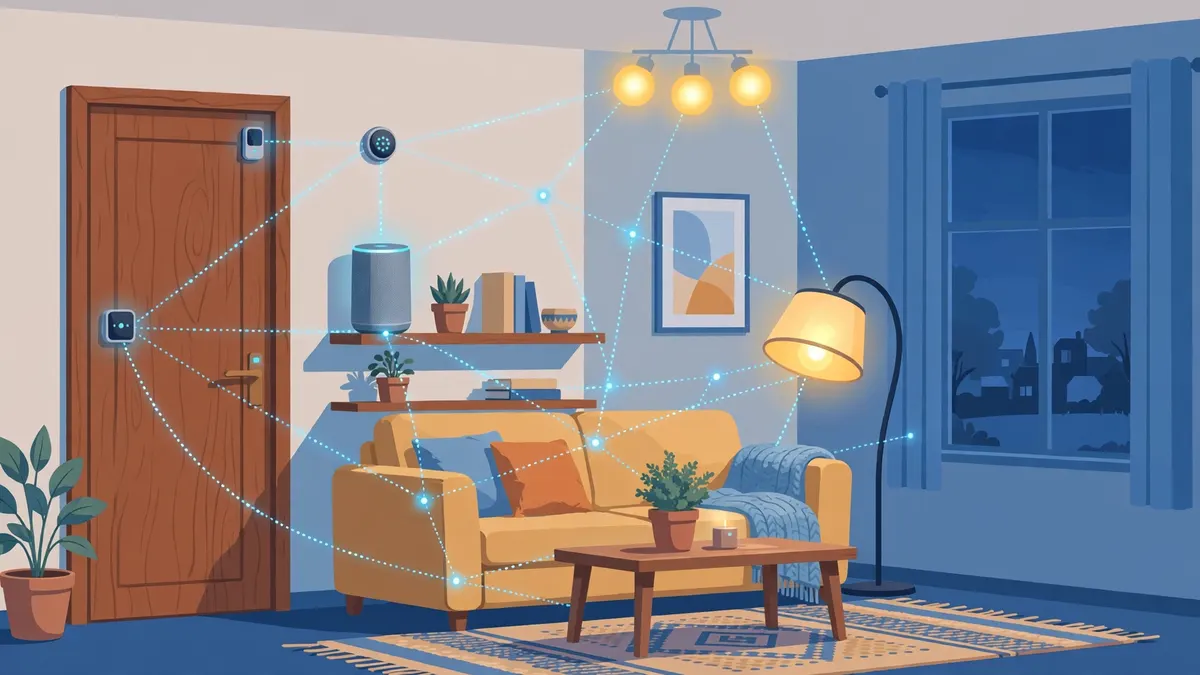
Both systems share the 2.4 GHz band with your Wi-Fi router, your microwave, and, in an apartment building, your neighbours’ smart devices too. In theory, this looks like a traffic jam; in practice, it mostly works, because the messages are tiny and the radios duck and weave around each other. The remaining problems are usually budget equipment or unusual geometry, not the protocol itself.
And yet in practice both are reliable when set up with a little care, and flaky when they are not.
Zigbee’s main quirk is channel overlap. Zigbee networks sit on channels numbered 11 to 26, and a few of those channels land on top of a common Wi-Fi channel. Put your hub on a noisy channel, and the lights will miss commands now and again. That is not a fatal flaw, but it is a setup detail worth getting right.
The fix is unglamorous but effective: when you set up a Zigbee hub, pick a channel at the edge of the Wi-Fi band, or use a tool such as Zigbee Channel Analyzer to find a quiet channel. There is no single best answer, because the right choice depends on your Wi-Fi channel.
Most modern hubs handle this reasonably well, but cheap ones sometimes do not, which explains many “Zigbee stopped working” stories online. It helps to buy a coordinator with decent firmware and active support, rather than the cheapest import available. You will save more time than you spend on the price difference.
A Matter over Thread network lives in the same band and faces the same physics; thick walls and metal appliances weaken it in the same places. Thread therefore works best if you have a dense mesh; every mains-powered Thread device quietly repeats traffic, and that benefit is largest in a small home full of plugs and bulbs, and weakest in a long, thin home with a single router.
Where Thread tends to feel calmer in daily use is not the radio but everything around it: setup is standardised, devices join with a printed code, and updates arrive through your smart home platform, not software quietly deciding which product it feels like supporting this year.
For locks and security sensors, the difference is less about physics and more about brands and update support. Zigbee locks still work well, but the newer lock accessories arriving in 2026 come as Matter-over-Thread variants first, and their firmware updates are easier to receive. If you are about to buy a lock or a security system, check that Matter support is on the box, and give it priority over the ecosystem the lock’s own app offers.
Neither should be your only layer of home security, but a contact sensor that reports within a second on either network is doing its job.
Already Own Zigbee Devices? Bridges Mean They Keep Working
The most expensive mistake you can make in this market is throwing away devices that still work. If most of the smart home you own today is Zigbee, you do not need to buy it twice. Matter includes a bridging mechanism for exactly this reason.
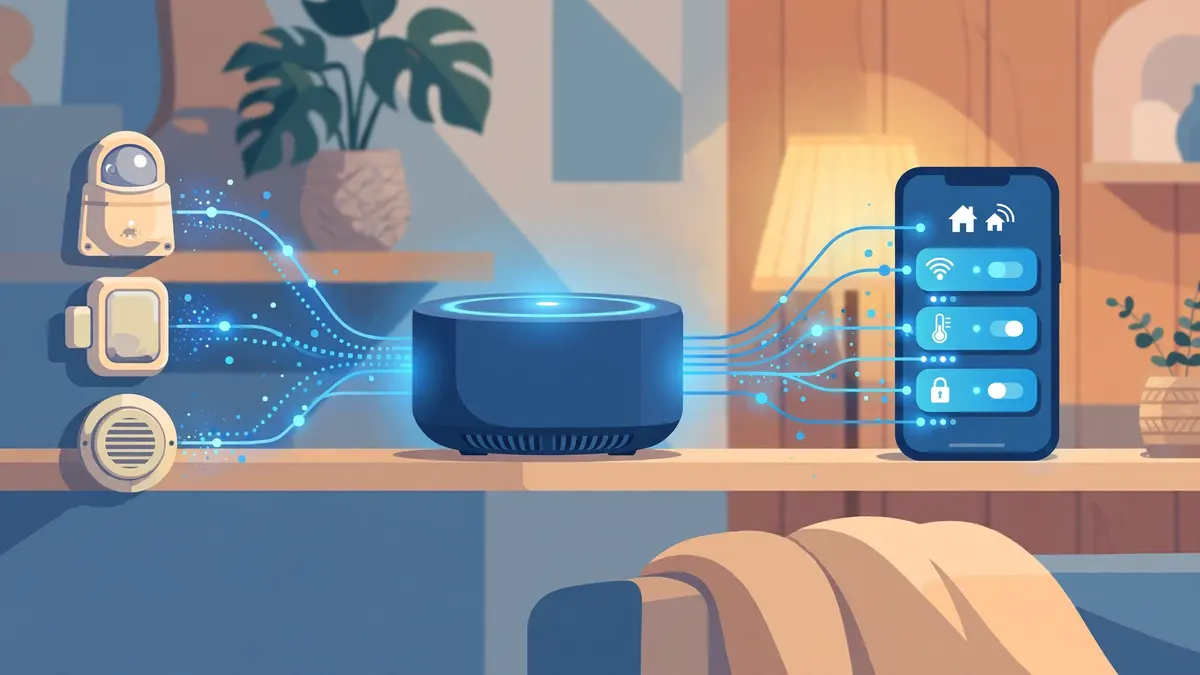
Bridges and multi-radio hubs do this job by speaking Zigbee on one side and Matter on the other, so your old sensors appear in Apple Home, Google Home or Alexa alongside newer Matter-native devices, even though two radios are quietly running underneath.
Aqara’s hubs carry its Zigbee sensors into Matter apps, and platforms such as SmartThings and Hubitat run Zigbee locally while also speaking Matter, so both generations of gear show up in one place.
There are limits worth knowing. Bridged devices occasionally expose fewer features than they had in their native app; an advanced lighting scene or an obscure sensor setting might stay behind.
But for mainstream gear, the essentials (turning on and off, reporting temperature, and seeing motion events) are bridged perfectly.
The Renters’ Verdict
Renters)have a specific set of worries. Can you take it all with you when you move out? Will something need a hole drilled in a wall? And is it worth investing in a thing you will leave behind?
Both systems are renter-friendly in the ways that matter: sensors stick on with adhesive, plugs sit between outlet and appliance, and nothing here needs an electrician.
Within that, Matter over Thread gets my recommendation for renters. First, the devices are not tied to a single hub or brand, so starting over after a move does not mean buying everything again.
Second, Matter devices are not married to one app; if you switch from an iPhone to an Android phone, or your new roommate runs the opposite, the same gear keeps working.
Third, setup codes, certification and easy onboarding make Matter the lower-friction option for a household with more than one user, and moving homes is no problem either: it is the protocol built for people who expect their gadgets to work with any app.
Zigbee still makes sense for a renter who wants the cheapest sensors, and who is happy to run a small hub and leave the setup in their flat.
A sensible first purchase either way is a couple of smart plugs, since they double as mesh relays and strengthen whichever network you choose. Our guide to the best smart plugs for renters picks out the ones worth buying.
The Setup Most Homes Should Actually Run: Both
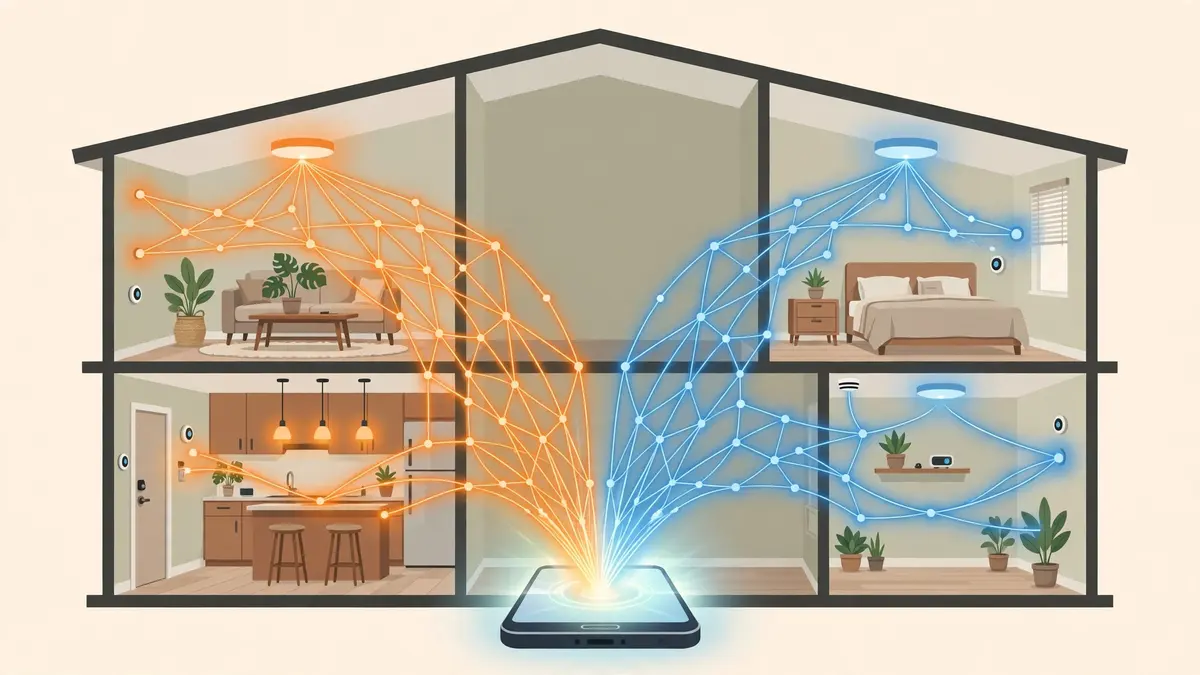
Here is the part the shelf labels never tell you: for most households, the best answer in 2026 is not Matter or Zigbee. It is a deliberate mix, and it is what I would build today.
Keep Zigbee as the backbone of your cheap everyday sensors. Door and window contacts, motion sensors, temperature and leak sensors, Zigbee versions are inexpensive, sip power, and have a decade of reliability behind them, all coordinated by one decent hub.
There is no prize for replacing a cheap sensor that works with a much pricier one that does the same job.
Then buy Matter, specifically Matter over Thread, for the new headline devices: the lock, the bulbs you install room by room, the thermostat, the video doorbell as Matter camera support matures.
These are the devices you will interact with through voice assistants and multiple apps, and they are exactly where Matter’s cross-platform freedom pays off.
Because your Zigbee gear arrives at a hub that bridges to Matter, your app still sees one home, one voice assistant and one source of truth, even though two radios are quietly running underneath.
This approach also spreads your risk. If a single manufacturer stops updating one product line, the other half of your home carries on.
Buying Checklist
Before you pay for anything, run through these six checks:
- Name the job first. Sensor, bulb, lock, or plug, the device category should drive the protocol choice, not the other way around.
- Check what you already own. Look for a Thread border router among your speakers, TVs, and hubs before you buy a new one.
- Match the version on the box. Prefer products with the official Matter certification and the Thread radio where relevant.
- Count the relays. Plan at least a couple of mains-powered devices per floor so messages have multiple paths home.
- Price the hub honestly. Zigbee gear looks cheaper until the hub is in the cart; if you need one, our roundup of budget Matter hubs for apartments shows what the entry ticket costs on the Matter side for comparison.
- Keep receipts for the first device. Buy one unit, live with it for a week in your actual app, and only then order the rest of the set.
Frequently Asked Questions
Is Zigbee being discontinued in favour of Matter?
No. Zigbee is still actively developed, widely deployed in commercial buildings and small appliances, and its installed base is far too large for anyone to switch it off. The relationship is closer to a transition than a replacement: new products increasingly ship with Matter, while Zigbee remains a healthy ecosystem.
Can Matter and Zigbee devices work together in one smart home?
Yes, with one honest caveat. They do not speak to each other directly, so you need a hub or bridge to translate. Once that is in place, Apple Home, Google Home, Alexa or Home Assistant shows both kinds as ordinary smart home devices, and you can build automations across them. You just may find that a few exotic features stay invisible to the other side.
Which one has better battery life?
On paper they are the same: both use low-power radios and devices that report only when something happens. In practice, a reported figure of a few months of battery life almost always means a configuration problem, such as a weak mesh or an over-chatty app, that makes the device wake more often than it should.
Which one is cheaper overall?
Zigbee is cheaper for a home made mostly of small sensors, because both the devices and the hub can be inexpensive, and Matter devices are getting cheaper but still cost more per device for equivalent features. If you are buying a few devices to cover the essentials, the price gap is small; if you are covering a large home, Zigbee’s lower per-sensor cost adds up.
I am starting from zero. What should I buy first?
Buy two Matter over Thread smart plugs, because they give you a device you will use daily and form a backbone for a Thread mesh in the same purchase. After that, choose the next device by job, not by protocol. If it is a specialist sensor, Zigbee will have it cheaper; if it is a headline device, Matter should be your first choice.
One home, one app, the real goal
Matter vs Zigbee is not a title fight with one winner. Zigbee is the mature, inexpensive radio mesh with the deepest catalog and one unavoidable hub. Matter is the common language that finally lets gear from different brands share your home without friction, usually riding on a Thread mesh that behaves much the same.
For most of us, the sweet spot is a home built from both: Zigbee for the small, cheap sensors you want everywhere, and Matter for the devices that define the experience. Build the home that way, and the protocols stop being a debate and become the plumbing: invisible, standard and easy to extend.
Starting fresh, buy Matter and let Zigbee fill the gaps where it is cheaper or the only option. Already invested in Zigbee, bridge it forward and spend your money on the devices you actually still need. Either way, you end up with the same destination: one home, one app, and sensors that quietly do their job.





No Comment! Be the first one.