




Choosing a GitOps Controller for Kubernetes: How Argo CD and Flux Differ in Real Team Workflows
Unsure which GitOps tool to trust with your clusters? This guide compares Argo CD and Flux on features, scale, and team fit so you can decide fast.
Your team ships to Kubernetes many times a week. Manual kubectl commands no longer feel safe. You want Git to be the single source of truth for every change. Two tools lead that space, and both are mature.
Table Of Content
- What GitOps Means in Plain Words
- How Argo CD Works
- How Flux Works
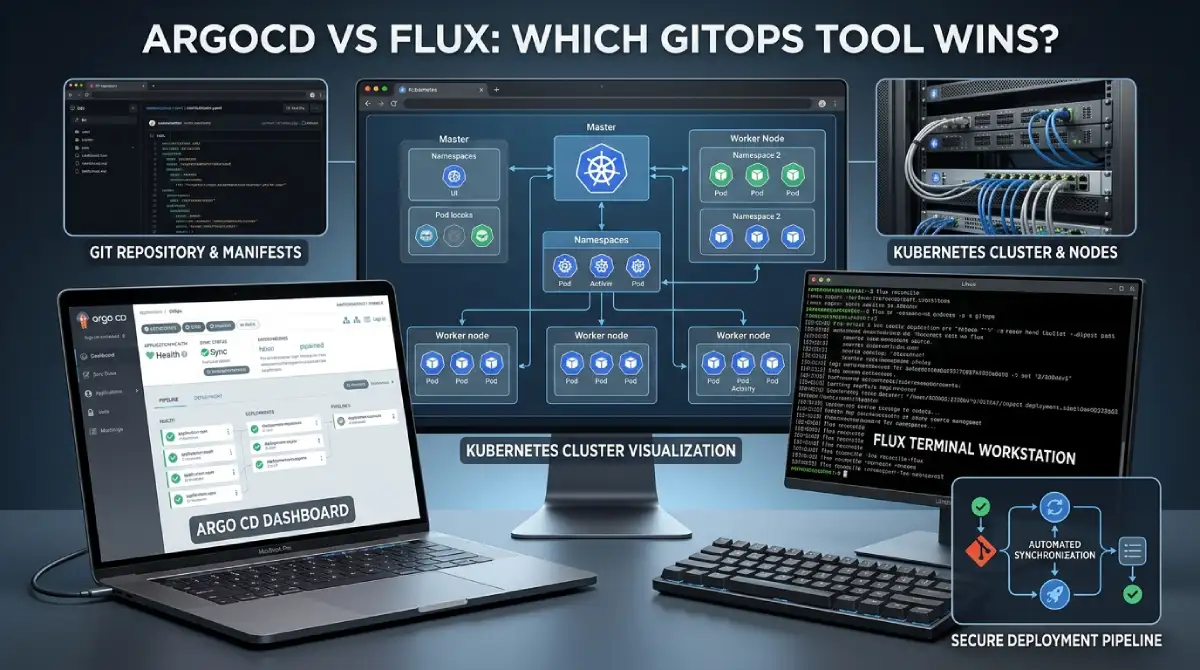
- ArgoCD vs Flux Side by Side
- User Interface and Daily Experience
- Multi-Tenancy and Team Access
- Helm, Kustomize, and Image Updates
- Progressive Delivery with Argo Rollouts and Flagger
- Resource Use and Scaling
- Security and Secrets
- When Argo CD Is the Better Fit
- When Flux Is the Better Fit
- Can You Run Both?
- Choosing ArgoCD vs Flux in Five Questions
- Common Mistakes to Avoid
- Frequently Asked Questions
- Final Thoughts on Choosing Your GitOps Tool
The ArgoCD vs Flux question comes up in almost every platform team. Both tools keep your cluster in sync with a Git repository. They just go about it in different ways. This guide helps you pick the one that fits your team.
What GitOps Means in Plain Words
GitOps is a simple idea. You describe your desired cluster state in files stored in Git. A tool inside the cluster reads those files. It then makes the live cluster match them.
This brings big gains for safety. Every change has an author, a date, and a review. A bad change is a revert away. Nobody needs direct cluster access to ship a fix.
The tool also watches for drift. If someone edits a resource by hand, the tool notices. It can alert you or put things back. That keeps environments honest over time.
How Argo CD Works
Argo CD was created at Intuit and later joined the CNCF. It is now a graduated project. Many teams know it first for its clean web dashboard. You see every app and its health in one place.
You define an Application that points to a Git path. Argo CD compares that path with the live cluster. It shows the difference and syncs when you approve or automate it. The diff view is easy to read.
Under the hood, Argo CD runs as a central service. It has an API server, a repo server, and a controller. One install can manage many clusters. That central view is a big reason people like it.
How Flux Works
Flux is also a CNCF graduated project. It takes a more modular path. Instead of one big app, it uses a set of small controllers. Each controller handles one job, such as sources, Helm, or Kustomize.
You work mostly through Kubernetes custom resources and the Flux command line. There is no built in dashboard. Third party tools can add one if your team wants it. Many Flux users are happy living in the terminal.
Flux often runs inside each cluster and pulls from Git on its own. That design fits well with separate environments. It also feels very native to Kubernetes. Everything is just another resource in the cluster.
ArgoCD vs Flux Side by Side
This ArgoCD vs Flux table gives a fast view of the main gaps. Use it to spot what matters most to your team. The sections after it explain each row.
| Factor | Argo CD | Flux |
|---|---|---|
| Architecture | Central, single service | Modular set of controllers |
| Web dashboard | Built in | Not built in |
| Multi tenancy | Projects and ApplicationSets | Native, per namespace |
| Progressive delivery | Argo Rollouts | Flagger |
| Image updates | Companion Image Updater | Built-in controllers |
| Resource use | Heavier | Lighter |
| CNCF status | Graduated | Graduated |
| Learning curve | Gentler start | Steeper start |
User Interface and Daily Experience

On the ArgoCD vs Flux scorecard, ArgoCD wins on visibility. The dashboard shows app health, sync status, and a live resource tree. A new engineer can understand a deployment in minutes. Managers and support staff can also read it without training.
Flux treats the cluster as the interface. You check status with commands and read events. Alerts can go to Slack or other chat tools. This is quick for experts but slower for newcomers.
Think about who will use the tool every day. If many people need to see deploys, the dashboard helps a lot. If a small expert team owns delivery, the terminal is enough. Match the tool to your people, not just your stack.
Multi-Tenancy and Team Access
Large organizations need clear walls between teams. Flux handles this in a very native way. Each team can own its resources in its own namespace. Permissions follow normal Kubernetes access rules.
Argo CD uses Projects to limit what each team can deploy. ApplicationSets help create many apps from one template. It works well, but it adds Argo-specific concepts to learn. Teams must plan their project layout early.
Both models can be secure when set up with care. The key is to define who can deploy where. Write those rules down before the first team onboards. Fixing access later is always harder.
Helm, Kustomize, and Image Updates
Both tools support Helm charts and Kustomize overlays. Flux uses a HelmRelease resource for charts. Argo CD treats Helm as one more source type for an app. Either way, you can manage popular charts without much pain.
Image updates are a real difference. Flux ships with controllers that watch registries and update Git. Argo CD relies on a companion project called Image Updater. Some teams skip both and let their CI pipeline commit new tags.
That last option links nicely with your pipeline choice. A CI tool builds and pushes the image, then edits the manifest. The GitOps tool only handles delivery. This keeps each tool focused on one clear job.
Progressive Delivery with Argo Rollouts and Flagger
Safer releases need canary and blue-green strategies. Argo CD pairs with Argo Rollouts for this. Flux pairs with Flagger. Both add traffic shifting and automatic checks.
Argo Rollouts shines if you already use other Argo projects. The tools share style and a common community. Flagger works well with many service meshes and ingress tools. It fits teams that want to stay inside the Flux family.
Neither choice locks you in forever. You can adopt progressive delivery later. Start with plain rolling updates and measure your failure rate. Add canaries when a real need appears.
Resource Use and Scaling
Argo CD runs several components, so it uses more cluster resources. For small clusters, this cost is easy to notice. Flux is lighter because its controllers are small and focused. That can matter on edge or low-budget setups.
At large scale, both tools can work well with tuning. Argo CD often needs sharding or more replicas as apps grow. Flux scales by running per cluster or per team. Test with your real app count before you decide.
Do not pick on a benchmark alone. Your repo layout and sync settings matter just as much. A clean structure beats raw speed. Keep your manifests tidy and your sync intervals sensible.
Security and Secrets
GitOps keeps secrets in a tricky spot. You should never store plain secrets in Git. Both tools work with options like Sealed Secrets, SOPS, and the External Secrets Operator. Flux has native support for SOPS decryption.
Pull-based delivery also helps security. The cluster reaches out to Git, so you avoid giving CI broad cluster credentials. That shrinks your attack surface. It is one of the best reasons to adopt GitOps at all.
Review access to the Git repo with the same care. Anyone who can merge can change production. Use branch protection and required reviews. Treat your deploy repo like a production system.
When Argo CD Is the Better Fit
Choose Argo CD if you want a dashboard that everyone can read. It suits teams that are new to GitOps. Onboarding is smoother because the UI explains what is happening. Support and product staff can follow a release too.
It also fits teams that plan to use Argo Rollouts, Workflows, or Events. One ecosystem means less glue work. You get a large community and many examples. Help is easy to find when you get stuck.
When Flux Is the Better Fit
Choose Flux if you like a lean, Kubernetes native design. It suits platform teams that live in the command line. Per-cluster installs match well with strict environment walls. Resource use stays low.
Flux is also strong for multi-tenant platforms. Each team gets its own space and rules. Built-in image automation saves extra tools. Teams that automate everything often prefer this approach.
Can You Run Both?
Yes, and some organizations do. They use Flux to manage cluster add-ons such as cert-manager and monitoring. They use Argo CD for team-facing apps that need a dashboard. This split gives each tool its best role.
Running both adds mental load, though. New hires must learn two systems. Keep the boundary clear and written down. If your team is small, pick one and stick with it.
Choosing ArgoCD vs Flux in Five Questions
Use these questions in your next planning meeting. Answer them honestly with your real team in mind. The pattern of answers will point to a winner.
- Do many non-experts need to see deploy status? Lean Argo CD.
- Do you run many tenants with strict walls? Lean Flux.
- Do you want built-in image automation? Lean Flux.
- Do you plan to use Argo Rollouts or Workflows? Lean Argo CD.
- Is cluster resource use a tight limit? Lean Flux.
If answers split evenly, run a one-week trial. Install each tool in a test cluster. Deploy one real app with both. The team will tell you which one feels right.
Common Mistakes to Avoid
The first mistake is mixing manual changes with GitOps. Someone edits a live resource and drift appears. The tool then fights the human. Set a rule that all changes go through Git.
The second mistake is one giant repo with no structure. Clean folders for apps, clusters, and environments save pain later. Split config by team when you grow. Small, clear repos are easier to review.
The third mistake is skipping alerts. A failed sync can sit unnoticed for days. Connect notifications to chat from day one. Tie them to your monitoring so failures are never silent.
The last mistake is picking a tool for hype. Teams copy a famous company and regret it. Your size and skills matter more. Start with your real needs.
Frequently Asked Questions
Is Argo CD better than Flux?
Neither wins in every case. Argo CD leads on dashboard and onboarding. Flux leads on modular design and native multi-tenancy. In the ArgoCD vs Flux debate, fit matters more than features.
Do I need a CI tool as well?
Yes. GitOps handles delivery, not building or testing code. A CI tool builds images and runs tests. The GitOps tool then deploys what CI approves.
Can I switch later?
You can, but plan for some effort. Your Kubernetes manifests stay the same. You must rewrite the tool-specific resources. A small pilot first makes any move safer.
Which is easier for beginners?
Most beginners find Argo CD easier at first. The dashboard makes the flow visible. Flux rewards people who like the command line. Both are learnable with a little practice.
Final Thoughts on Choosing Your GitOps Tool
The ArgoCD vs Flux choice comes down to people and shape. Do you need a visible dashboard, or a lean native engine? Your answer points to one tool fast.
Start small with one app and one cluster. Measure how long deploys take and how often they fail. Grow from there with confidence. Good GitOps feels boring, and that is the goal.


No Comment! Be the first one.