




Wi-Fi vs Thread for Smart Homes: Which One Actually Fits Your Apartment
Choosing between WiFi and Thread for your smart home doesn't have to be confusing. This guide compares both protocols for apartments, covering device limits, hub requirements, reliability, and which...
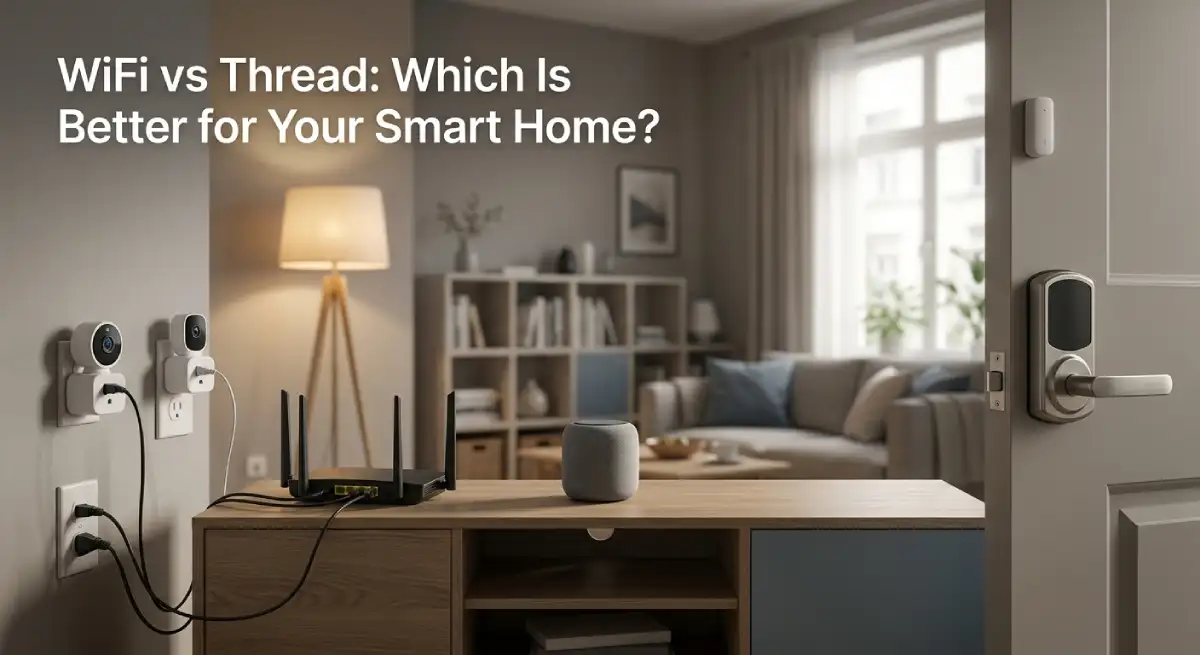
WiFi vs Thread smart home devices come down to one number: how many gadgets you own. Under ten, stick with WiFi. It’s simpler, cheaper, and you probably already have everything you need. That single number decides almost everything else below.
Table Of Content
- Wi-Fi: The Simple, No-Extra-Hardware Option
- Thread: The Low-Power Mesh Alternative
- How to Check if You Already Own a Thread Border Router
- WiFi vs Thread Smart Home: Side-by-Side Comparison
- When Wi-Fi Makes More Sense for Your Apartment
- When Thread Starts to Make More Sense
- Apartment-Specific Considerations
- What to Check Before You Buy Either Protocol
- How Long Setup Takes for Each Protocol
- Common Myths About Thread
- Can You Mix Wi-Fi and Thread in the Same Apartment?
- Frequently Asked Questions
- Final Thoughts
Thread starts earning its keep once you pass that number, especially with battery-powered sensors and locks. I get asked about this a lot, right after someone’s third smart plug starts lagging. Here’s the breakdown of what each protocol does day to day. It also covers which one fits the apartment you live in. Both options work well when matched to the right setup.
Wi-Fi: The Simple, No-Extra-Hardware Option
Wi-Fi devices connect straight to your router, same as your laptop or phone. Nothing extra to buy, nothing extra to configure. You already understand how this works, whether you realize it or not.
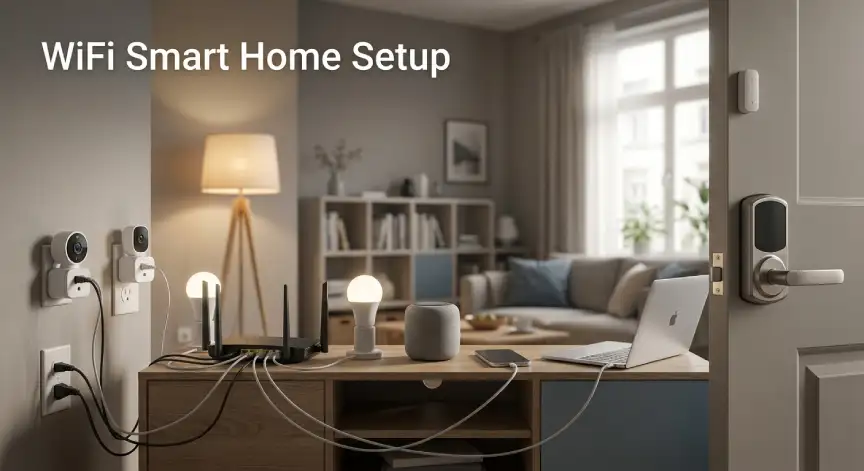
The catch is that every device eats into your router’s connection budget. A dozen plugs, bulbs, and cameras can bog down a cheap router fast. That’s before counting your neighbors’ networks fighting over the same 2.4GHz channels.
Battery life takes a hit too. A Wi-Fi door sensor tends to burn through a battery every few months. The same device on Thread might last closer to a year. For anything plugged into the wall, like plugs and cameras, none of this matters at all.
Setup follows steps you already know. Open the app, scan a code, type in your password, and wait for the chime.
Thread: The Low-Power Mesh Alternative
Thread skips your router entirely. It runs its own low-power mesh network, and devices talk directly to each other. That’s instead of routing everything through one central point.
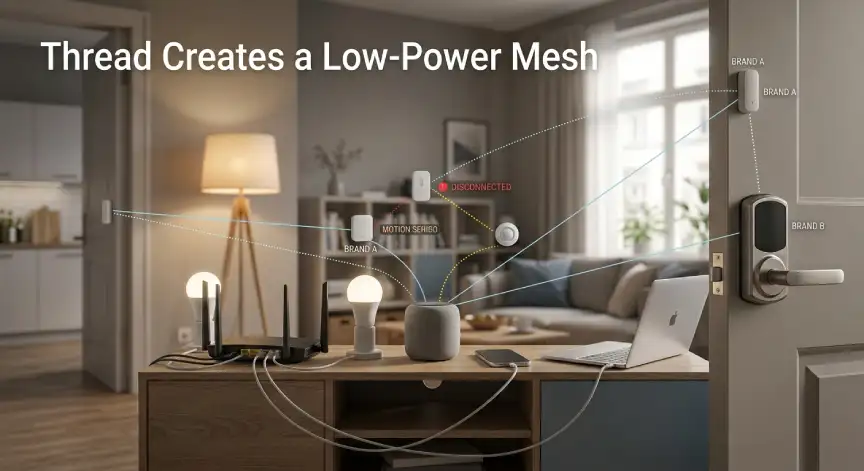
This means you need a border router somewhere in the mix. That sounds like a hassle, but there’s a decent chance you already own one. Newer Apple TVs and HomePod minis already handle this job. Several Google Nest and Amazon Echo devices do too.
The mesh part is what makes Thread different. If one device drops offline, the rest of the network reroutes around it automatically. It’s the same principle large commercial networks use, shrunk down to apartment size.
Thread also speaks IP natively, so brands don’t need an awkward translation layer between each other. Pair that with Matter, and brands stop mattering as much. A lock from one company can share a mesh with a sensor from another. No extra setup is needed to make that happen.
How to Check if You Already Own a Thread Border Router
Before spending money on new hardware, check what’s already in your apartment. Open the Apple Home, Google Home, or Alexa app. Look for anything labeled a hub, border router, or Thread-enabled speaker.
A HomePod mini counts. So does an Apple TV 4K from 2021 onward. Most Nest Hub Max units and several fourth-generation Echo speakers count too.
If you own one of these, setup gets easier. Adding a Thread device then works the same as adding a Wi-Fi one.
WiFi vs Thread Smart Home: Side-by-Side Comparison
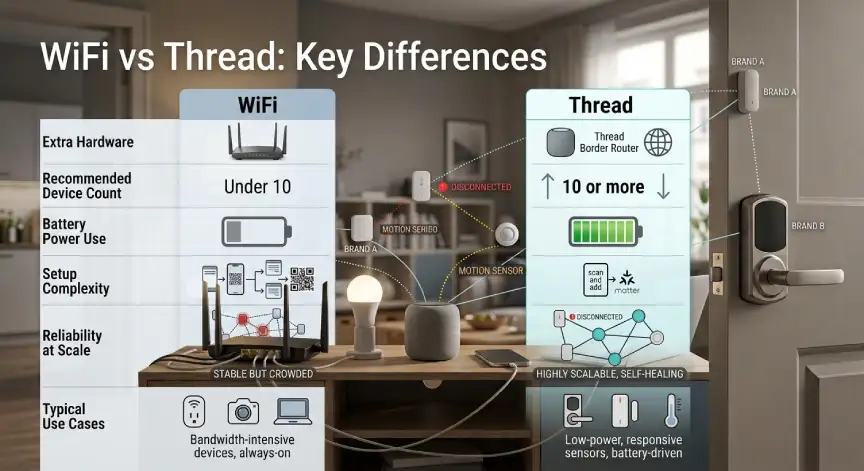
| Factor | Wi-Fi | Thread |
|---|---|---|
| Extra hardware needed | None | Border router (often already owned) |
| Best device count | Under 10 | 10 or more |
| Power draw on battery devices | Higher | Lower |
| Setup complexity | Simple | Slightly more involved |
| Reliability at scale | Drops with router congestion | Self-healing mesh |
| Typical use case | Lamps, plugs, single cameras | Sensors, locks, multi-room lighting |
When Wi-Fi Makes More Sense for Your Apartment
For a handful of plugs and a couple of lights, don’t overthink this. Wi-Fi is cheaper, faster to set up, and needs no extra hardware at all.
It also makes sense if you know you’re not building anything elaborate. Three or four devices in a studio apartment rarely need mesh networking. That’s true no matter what the marketing copy suggests.
When Thread Starts to Make More Sense
Past ten connected devices, that self-healing mesh stops being a nice-to-have feature. A dead zone in one corner of your place won’t affect the whole room. Every sensor there keeps working.
Battery-powered gear is where Thread shows its value most. Door sensors and smart locks last noticeably longer between battery swaps. That matters more once you’re the one climbing on a chair to replace one again.
Apartment-Specific Considerations
Apartments deal with router congestion more than standalone houses do. Dozens of neighboring networks compete for the same limited channels. That congestion peaks right when you’re home to notice it.
Older buildings add another wrinkle. Thick concrete walls and shared electrical panels can weaken Wi-Fi signal between rooms. Thread’s relay design tends to route around those dead spots on its own.
If your building leans on brick or concrete construction, this matters more than you’d think. A Wi-Fi-only setup can struggle to reach the far corner of a larger unit. Thread just hops the signal along until it gets there.
Shared building Wi-Fi, offered as an amenity in some complexes, adds another layer of congestion. You can’t control that layer at all. That’s exactly where Thread’s separate radio band starts paying off. It isn’t competing with your neighbors for the same airwaves.
What to Check Before You Buy Either Protocol
Start by estimating how many devices you’ll realistically own a year from now. This WiFi vs Thread smart home decision mostly comes down to that number. Under ten, Thread’s extra setup step often isn’t worth it. Past ten, the reliability gap becomes hard to ignore.
Check your existing gear for a hidden border router before buying anything new. Skipping this step is a common way renters overspend on their first Thread device.
Prioritize Matter certification over the protocol itself. A Matter-certified device works across ecosystems, no matter whether it runs on Wi-Fi or Thread underneath. That protects your purchase if you switch approaches down the road.
Portability isn’t really a factor here either way. Both Wi-Fi and Thread devices unplug just as easily when you move. Don’t let that sway your decision.
How Long Setup Takes for Each Protocol
Manufacturer documentation for both protocols points to a similar setup window. Expect a few minutes per device once your network is ready. Wi-Fi devices tend to feel faster on the first try. There’s no border router step involved.
Thread devices need that border router paired first if you don’t already have one running. Once it’s set up, adding more Thread devices goes just as fast. It ends up matching Wi-Fi setup speed.
Common Myths About Thread
People assume Thread is meant to replace Wi-Fi entirely. It isn’t. Most real smart homes run both side by side. Thread handles the low-power stuff, and Wi-Fi covers anything that stays plugged in.
The other common myth is that Thread requires expensive, specialized gear. Most of the time it doesn’t. You probably already own a border router and never noticed the feature.
Can You Mix Wi-Fi and Thread in the Same Apartment?
Yes, and most people end up doing exactly this without planning it that way. Plugs and cameras stay on Wi-Fi since they’re already plugged into power. Battery sensors and locks move over to Thread instead.
Matter-certified devices make this mixing much less painful. They work across ecosystems regardless of which protocol runs underneath. You don’t have to pick a side before buying your first device.
Frequently Asked Questions
Do I need to choose only Wi-Fi or only Thread?
No. This is the classic WiFi vs Thread smart home question, and most apartments run a mix. Wi-Fi handles simple plugs, and Thread covers sensors or locks that benefit from lower power draw.
Does Thread work without a separate hub purchase?
Often, yes. Several Apple, Google, and Amazon smart speakers already act as Thread border routers. Check what you own before buying anything new.
Will Thread slow down my Wi-Fi network?
No. It runs on a completely separate radio band. It doesn’t add to your router’s connection count or congestion.
Is Thread more reliable than Wi-Fi for smart homes?
At scale, yes, thanks to that self-healing mesh. With only a few devices, the difference is barely noticeable.
Can I convert an existing Wi-Fi device to Thread?
No. The radio hardware itself is different. A device built for Wi-Fi can’t switch protocols after manufacturing.
Does every smart home brand support Thread?
Not yet, though adoption has picked up fast since Matter launched, check the packaging or product listing for Thread or Matter certification if this matters to you.
Final Thoughts
If you’re just getting started, Wi-Fi is still the easiest way in. No extra hardware and no learning curve are needed. Setup rarely takes more than a few minutes per device.
Once you cross ten devices, especially battery-powered ones, Thread starts paying for itself. It pays off in reliability and battery life. Check what border router you might already own before assuming you need to buy something new.
Still deciding what to buy first in this WiFi vs Thread smart home setup? Our guide to the best smart plugs for renters is a low-commitment place to start. If you want either protocol running without extra hardware, we have a guide for that too.
Check out our walkthrough on Matter smart home setup without a hub. Browse our full Smart Homes coverage for more renter-friendly picks.







No Comment! Be the first one.